Contents7 sections
XSCACE Studio now controls the Root series. As of August 2026 a Root 4 amplifier is discovered, configured and calibrated from the same macOS application that runs the Xylem series — routing matrix, gain, delay, crossovers and parametric EQ, plus the room-correction and measurement tools that the original Windows editor never had.
What actually changed
Until now, Root-series hardware was configured with XSCACE ROOTS DSP: a Windows-only editor, version 2.2.5, talking to the amplifier over USB or the local network. It is a capable tool and it is not going away for the people already using it. But it is a separate application on a separate platform from everything else XSCACE builds, and it has no measurement side at all.
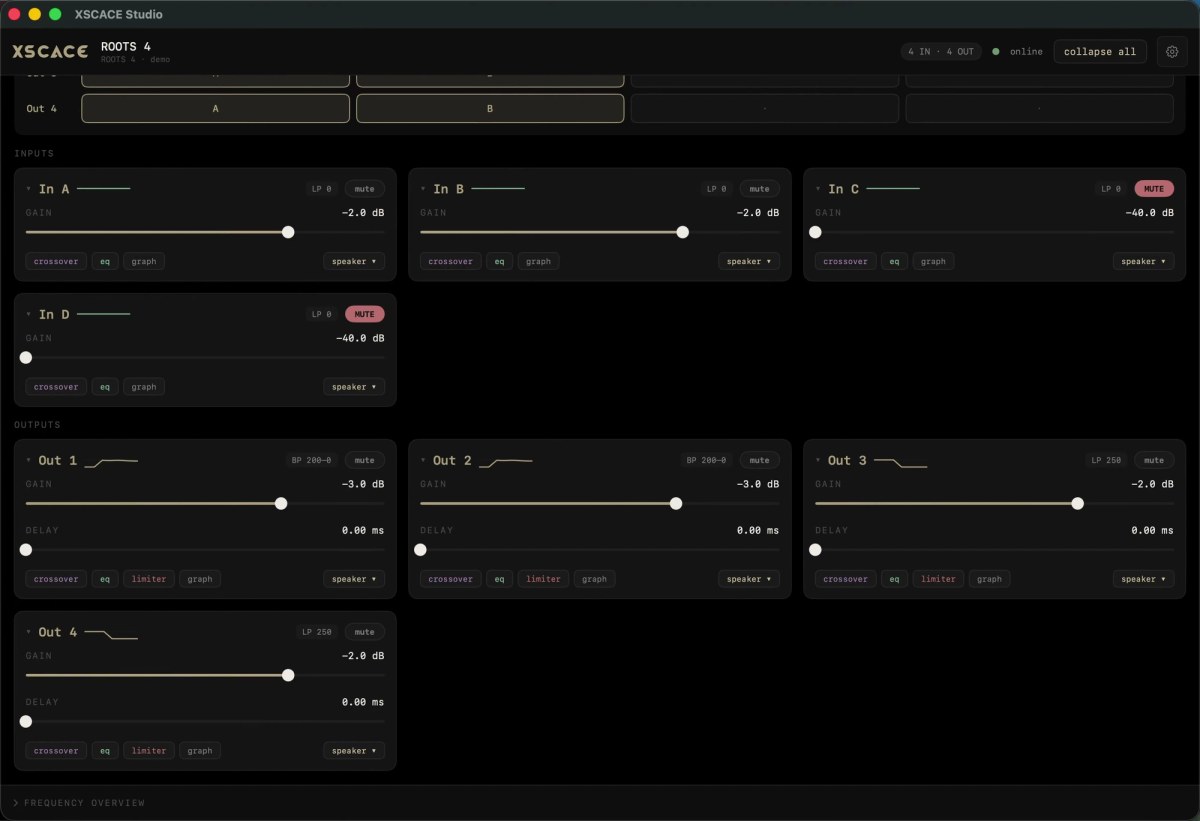
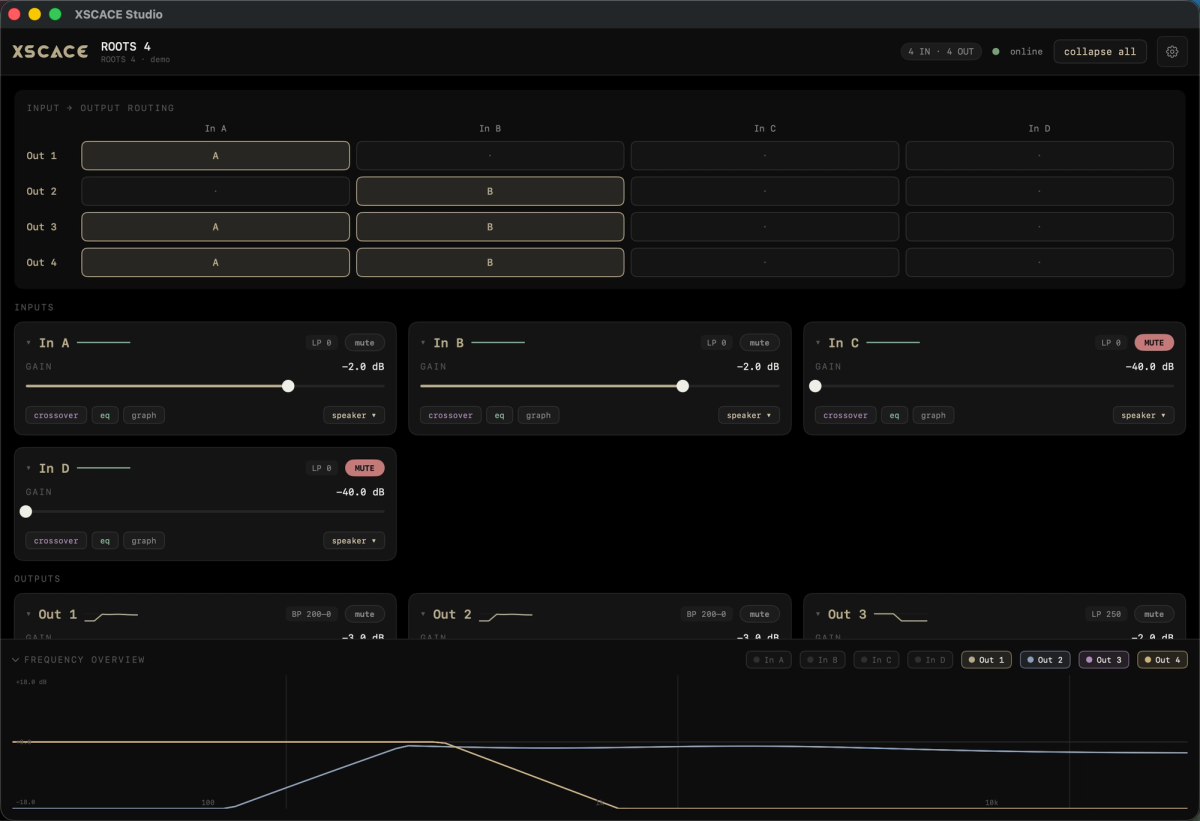
Root 4 now appears in XSCACE Studio like any other device on the network. The 4×4 matrix, the per-channel gain and delay, the crossovers and the parametric EQ are all there — in the same interface that also measures the room and writes the correction back.
What Studio adds that ROOTS DSP never had
- X-Sense room correction, measured from the listening position rather than estimated from the specification.
- An eleven-instrument Calibration Toolkit — SPL, delay, levels, polarity, frequency response, THD, subwoofer alignment, transfer function, RT60, RTA and export — in the same app that holds the DSP.
- PsySculpt, which synthesises harmonics so the ear infers low bass the cabinet cannot physically produce. It does not add bass; it changes what you perceive.
- Delay measurement that agrees with REW to 0.01 ms, and refuses to report a figure it cannot defend rather than printing a confident wrong one.
- Network discovery across every XSCACE device at once, instead of one amplifier at a time.
- A full demo mode, so the interface can be learned before the hardware arrives on site.
And a verification checklist the Root 4 never had
The addition that changes what a Root 4 commissioning ends with is the CEDIA RP32 verification checklist. CEDIA/CTA-RP22 defines four objective performance levels a room can be designed to; CEDIA RP-32 is the companion practice for measuring whether it got there. On the Export page you set the RP22 level and the room volume, and every parameter is marked pass or fail against RP22's table for that level — interchannel level and time, polarity, sub integration, background noise floor as an NCB rating, in-room bass extension, response below the transition frequency, early reflections and reflection decay time to ISO 3382-1.
The checklist carries into the exported client PDF as its own section, so a Root 4 zone now hands over with a stated verdict against a published performance standard rather than a set of settings. Rows the current version cannot test are marked not measured rather than assumed, and the document says plainly that this is measurement to RP32 practice rather than a certification.
What stayed the same
Nothing in the signal chain was removed. Everything ROOTS DSP exposed is still addressable:
- Routing matrix from any input to any output, with per-cross-point on and off.
- Per-channel gain, mute and delay on inputs and outputs.
- Parametric EQ on both inputs and outputs, with frequency, gain and Q per band.
- Crossovers with Bessel, Butterworth and Linkwitz-Riley responses at 12, 18, 24 and 48 dB per octave.
- Per-output limiting, BTL bridging across output pairs, and preset save and recall.
| XSCACE ROOTS DSP | XSCACE Studio | |
|---|---|---|
| Platform | Windows | macOS 14.0 or later |
| Routing, gain, delay, EQ, crossovers | Yes | Yes |
| Limiting and BTL bridging | Yes | Yes |
| Room measurement | None | Eleven-instrument toolkit |
| Automatic room correction | None | X-Sense |
| Multi-device discovery | One at a time | Whole network |
| Development status | Retained, not developed | Actively developed |
If you are already running ROOTS DSP
Nothing breaks. ROOTS DSP 2.2.5 still talks to Root-series hardware over USB and the network, and it stays available for installers with Windows machines and systems already commissioned on it. It is simply no longer where new work should start — there is no measurement side to it, and it is not being developed further.
If a system is already running and stable, there is no urgency. The argument for moving is the calibration toolkit, not the DSP controls, because the DSP controls are the same.
On iPad and iPhone
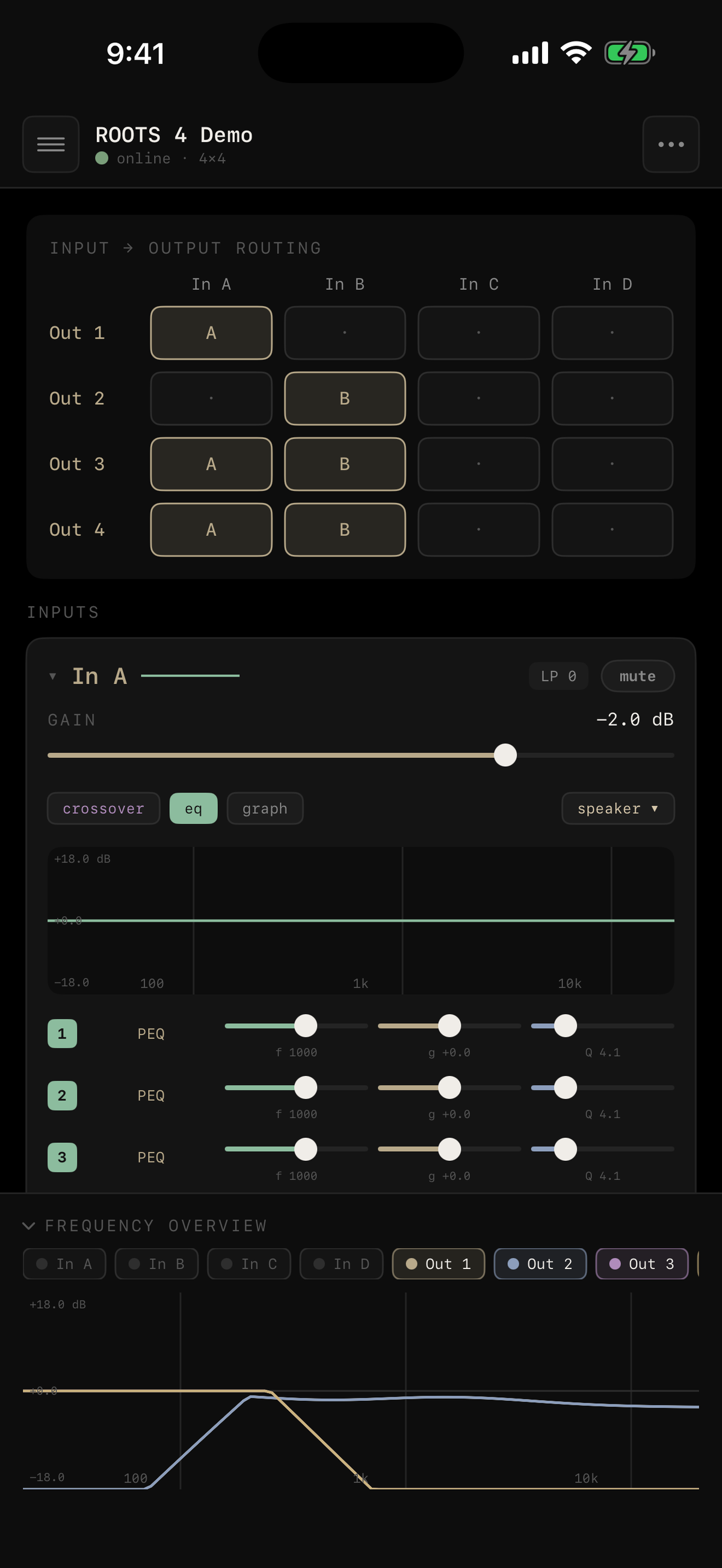
The touch builds have since shipped. One App Store listing covers all three: macOS 14.0 or later on the Mac, iOS 17.0 or later on iPhone, and iPadOS 17.0 or later on iPad. The screenshots below are from the touch build, and a Windows build is available separately.
How to get it
XSCACE Studio is a free download on the Mac App Store and requires macOS 14.0 or later. Connect the Root 4 to the same network, open Studio, and the amplifier appears in the device list. Studio also runs in full demo mode without any hardware attached, so the workflow can be learned before a site visit.
Every Studio session, on a Root 4 or a Xylem, ends in the same document: see a sample calibration report (PDF, 14 pages) generated in demo mode — measurement results, applied tuning, CEDIA RP32 verification, room acoustics and graphs.