XSCACE Controller
Total command of your XSCACE audio system.
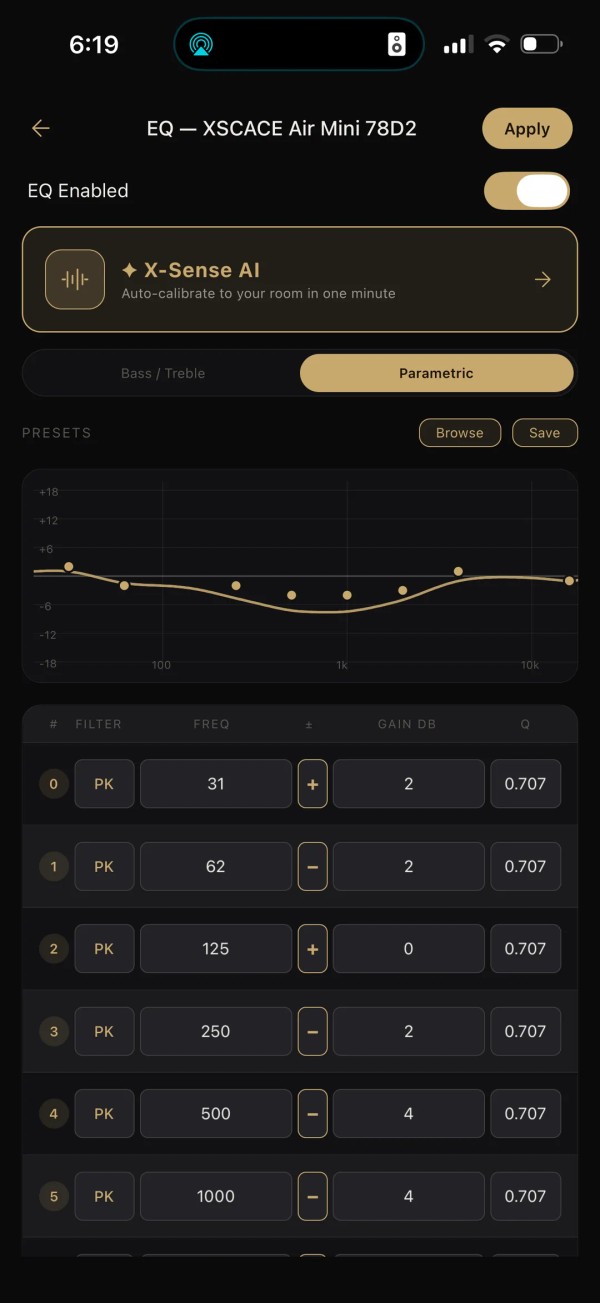
XSCACE Controller turns any iPhone or Android phone into a precision remote for XSCACE Air Mini and Air Amp wireless streamers. It discovers every device on your network in about a second, gives you full playback and input control, groups any number of speakers into perfectly synced multiroom zones, and opens up the DSP inside every XSCACE device — a full 10-band parametric equalizer. Everything happens on your own Wi-Fi network: no cloud account, no sign-up, no listening data leaving your home.
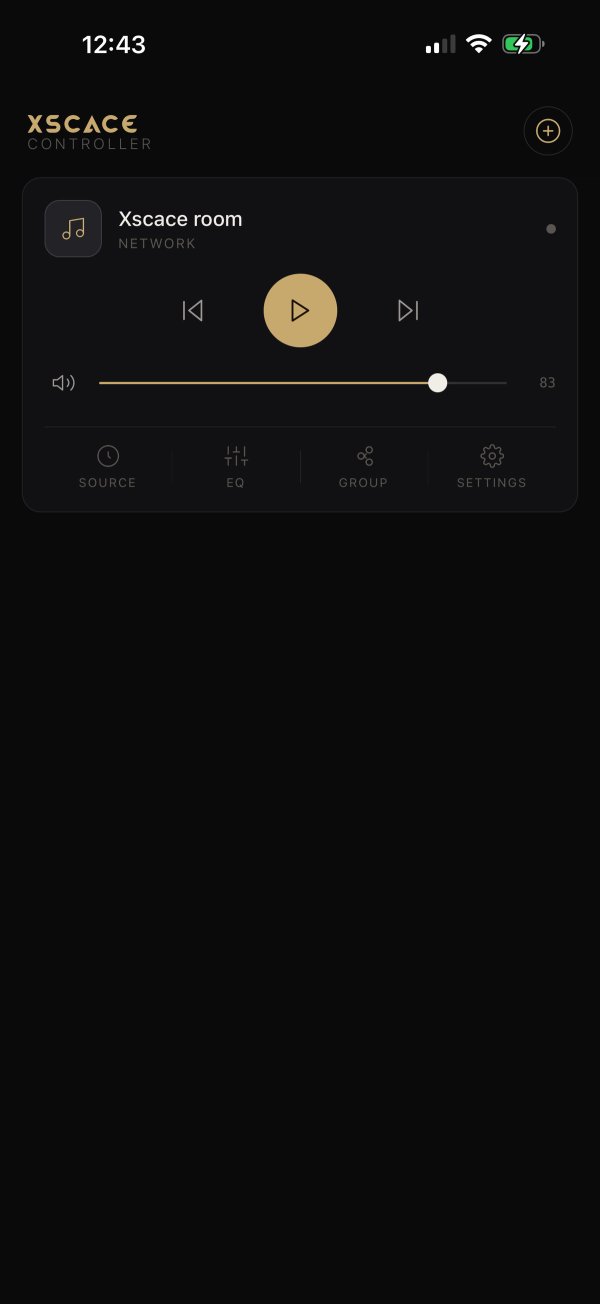
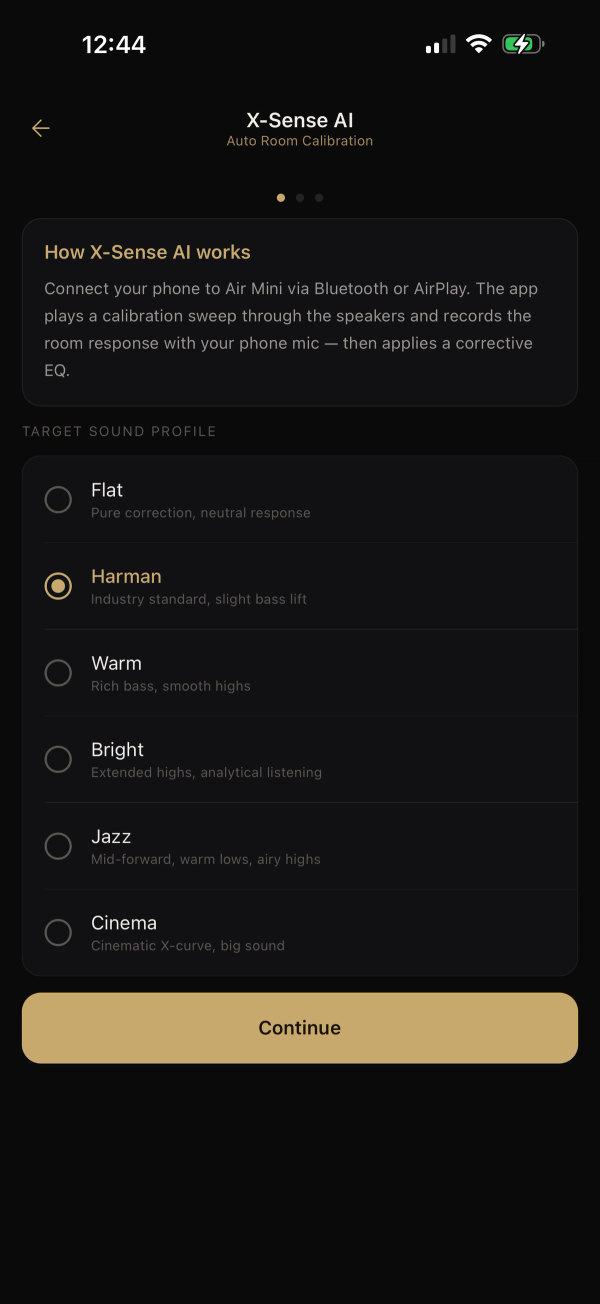
Laid out like the app. Click a feature.
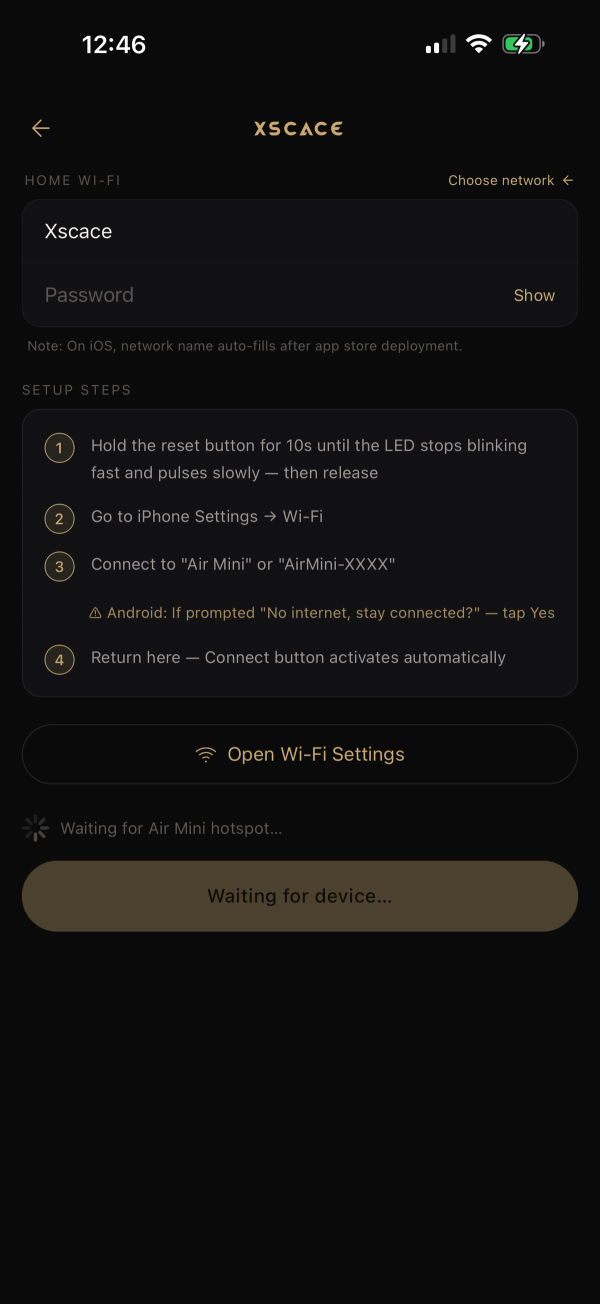
Automatic Setup
On your Wi-Fi in under a minute.
- One tap joins the new Air Mini's setup hotspot
- The app delivers the credentials and watches it join
- Wrong password detected instantly, not after a timeout
X-Sense AI — your room, corrected.
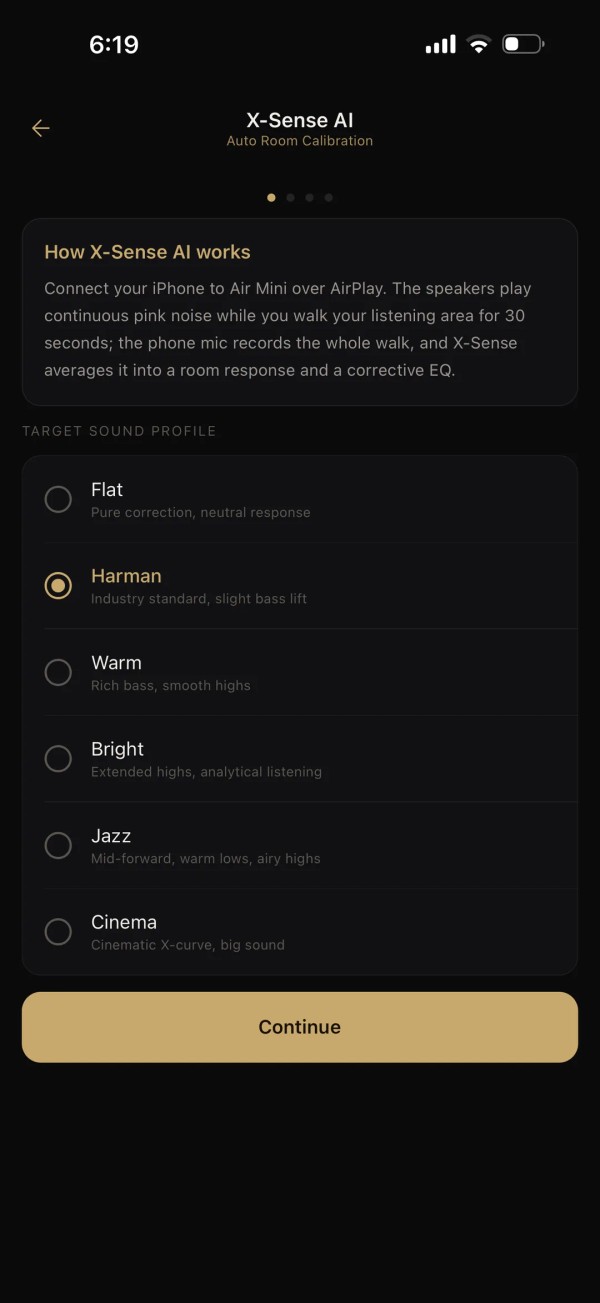
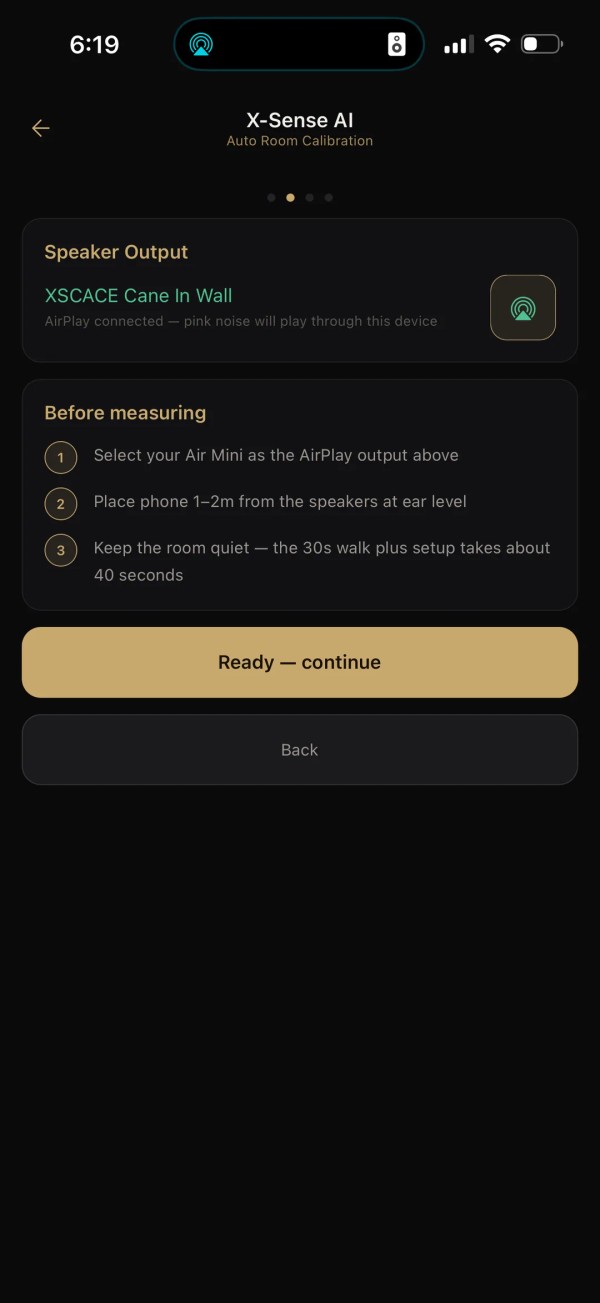
Every room colors sound: bass piles up in corners, curtains swallow treble, hard floors ring. X-Sense AI plays pink noise through your speakers while you walk the room with your phone, maps the room as you go, and suggests the EQ that corrects it — a technology usually reserved for AV receivers costing far more.
Choose a target sound
Flat, Harman, Warm, Bright, Jazz or Cinema — pick the tonal character you want.
Walk the room
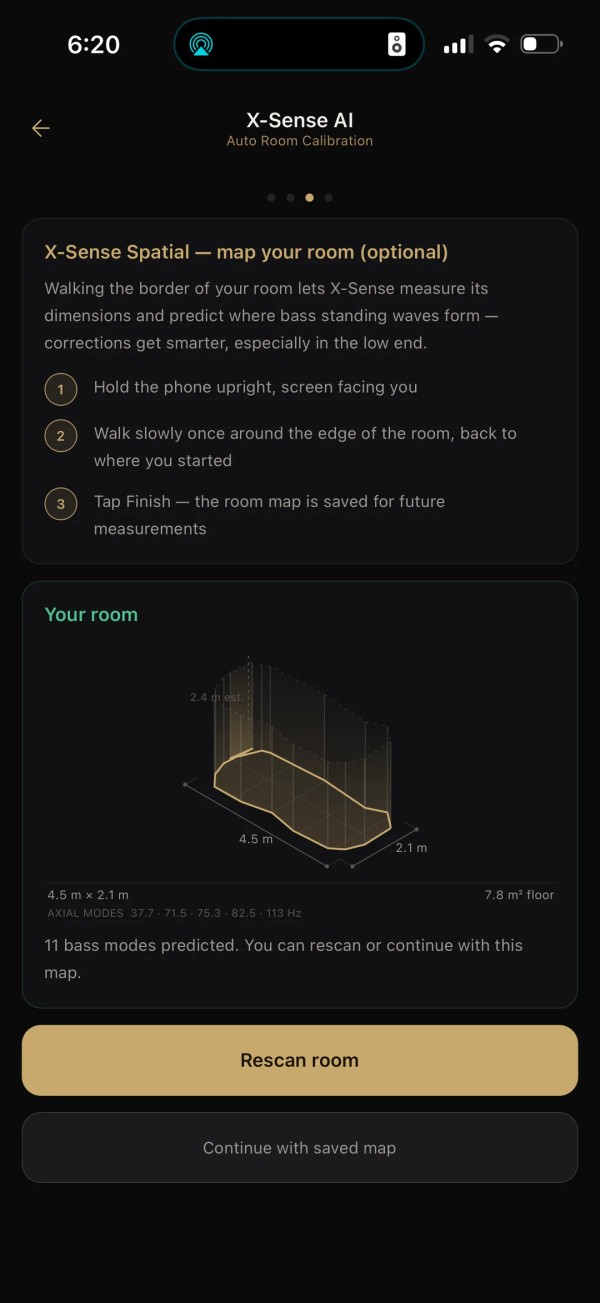
Pink noise plays over AirPlay for thirty seconds while you walk your listening area, phone in hand. X-Sense Spatial maps the room's dimensions from the walk and predicts where the bass will build up.
Analysis on your phone
The app measures the room’s response band by band and computes a correction — trusting only what it clearly measured, so corrections stay musical, never extreme.
Preview and apply
See the correction curve, review every band, and apply it to the speaker's own DSP with one tap. Turn it off anytime.
Everything happens on your own Wi-Fi network. The app talks directly to your speakers — your listening data never leaves your home.
Frequently asked questions6 answers
What hardware does XSCACE Controller work with?
XSCACE Air Mini and Air Amp wireless streamers.
Is XSCACE Controller free?
Yes, XSCACE Controller is free on both iOS and Android.
Is X-Sense AI room calibration available on Android?
Not currently — X-Sense AI is iOS-only. All other features are identical across iOS and Android.
Does XSCACE Controller require an account?
No. There is no account, no cloud, and no tracking — the app controls your speakers entirely over your own Wi-Fi network.
What happens to multiroom groups after a power outage?
They restore automatically. XSCACE Controller remembers the groups you set and quietly reassembles them whenever devices come back online, even overnight.
What is the current version of XSCACE Controller?
Version 1.4.0, with an identical feature set on iOS and Android except X-Sense AI.