Simulate it. Control it. Calibrate it.
Tools most brands don't build: sound simulation software that generates an audio BOQ automatically, an audio calibration toolkit that rivals dedicated measurement rigs, and a multiroom control app — bridging the gap between your amplifier's capability and your space's potential.
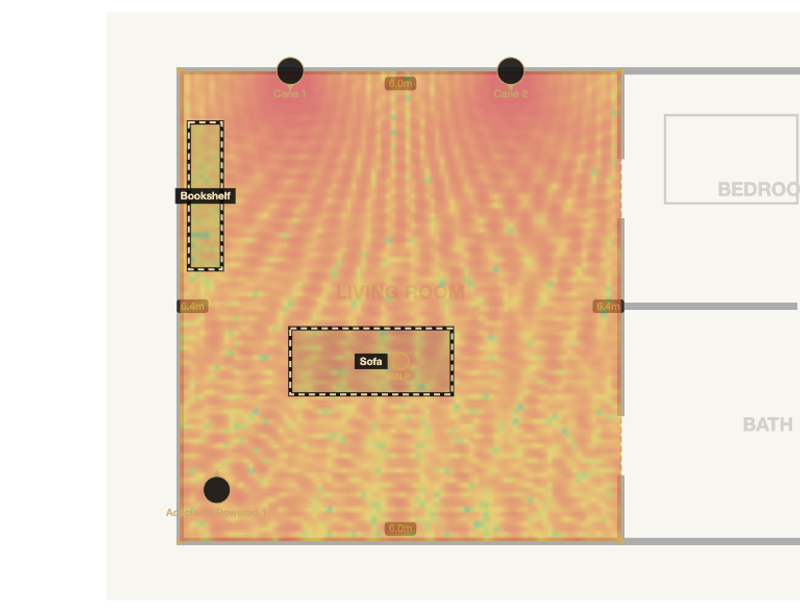
A browser-based acoustic design tool for AV integrators. Upload a floor plan, trace the rooms, place speakers, and it predicts what every zone will actually sound like — SPL coverage across Low, Mid and High bands, room modes, first reflections and stereo imaging, with absorption set wall by wall and acoustic panels placed into the room, or the full Dolby reference geometry for a home cinema, checked speaker by speaker. Then it produces the paperwork: a report that adapts to whether the room is for music or cinema, a full bill of quantities, an Excel quotation that round-trips your prices, and a client-ready PDF. Cinema zones are checked against CEDIA/CTA RP22, printing whichever of its seventeen design checks apply, bass is solved at every seat with a multi-subwoofer advisor, and conference zones report STI speech intelligibility and microphone coverage. The design tool is free, with no account required.
- Twenty-One Guided Steps, No Manual
- Coherent SPL Prediction
- Cinema Angles, Checked Against RP22
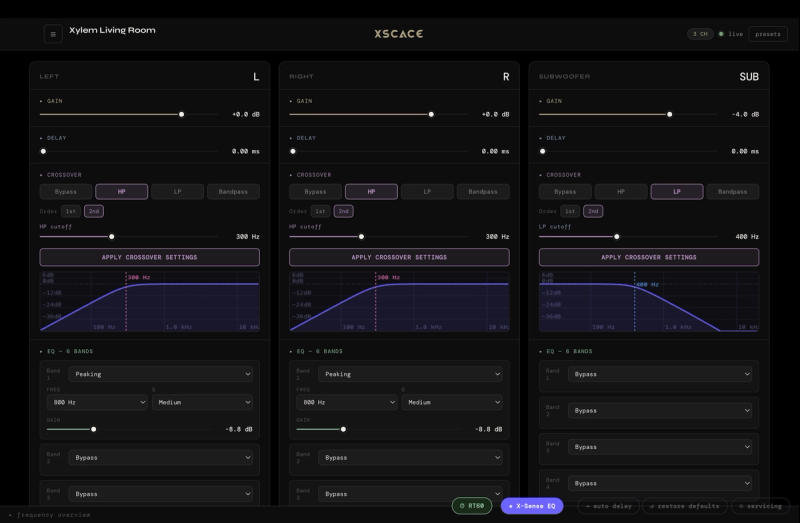
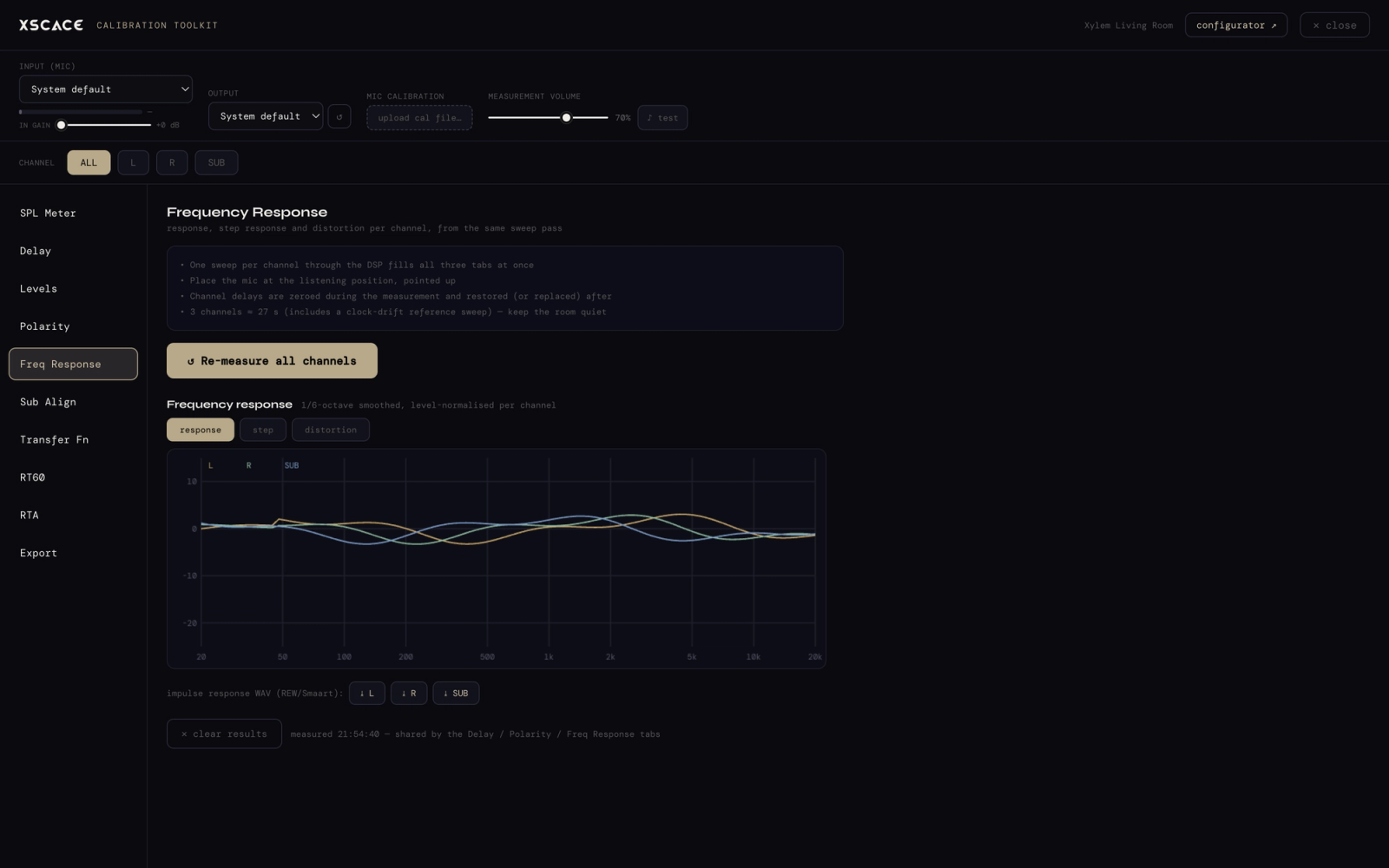
XSCACE Studio is the command centre for XSCACE DSP amplifiers — the Xylem series and, as of August 2026, the Root series. It discovers every device on the network, exposes the complete DSP — routing matrix, gain, delay, crossovers, parametric EQ on both inputs and outputs — and layers three intelligent systems on top: PsySculpt low extension, X-Sense room correction, and an eleven-instrument Calibration Toolkit that measures the room and writes the correction back to the amplifier in one app. Its delay measurement agrees with REW to 0.01 ms, and where a reading cannot be defended it refuses rather than reporting a number.
- Live DSP Control
- A Preset for Every XSCACE Speaker — and Yours
- One Number, Not Thirty-Four
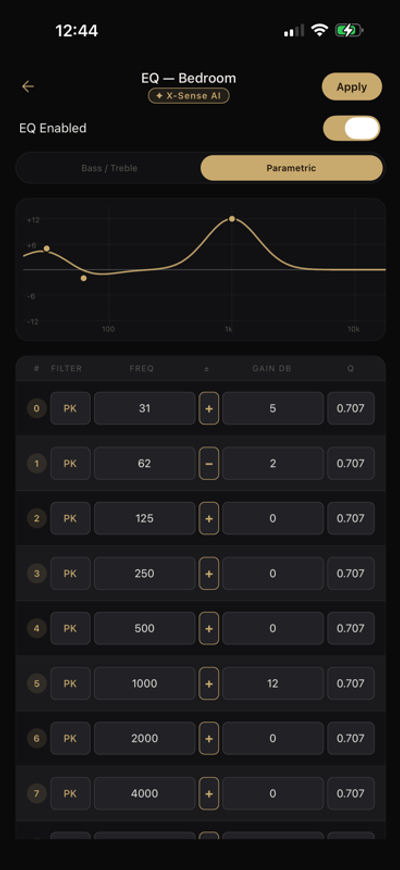
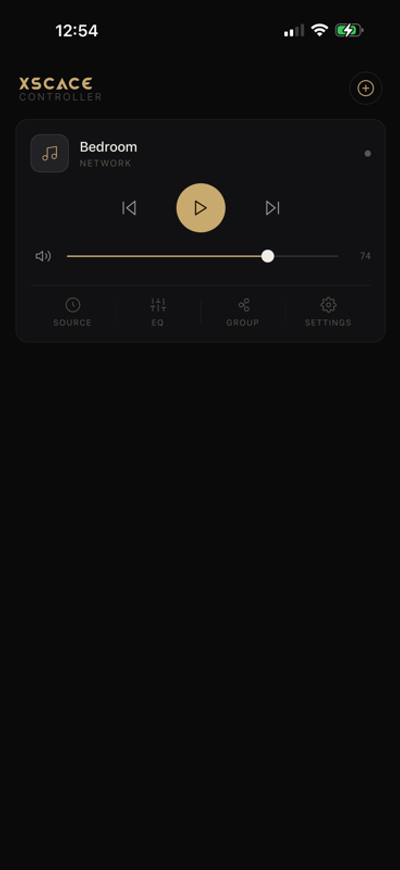
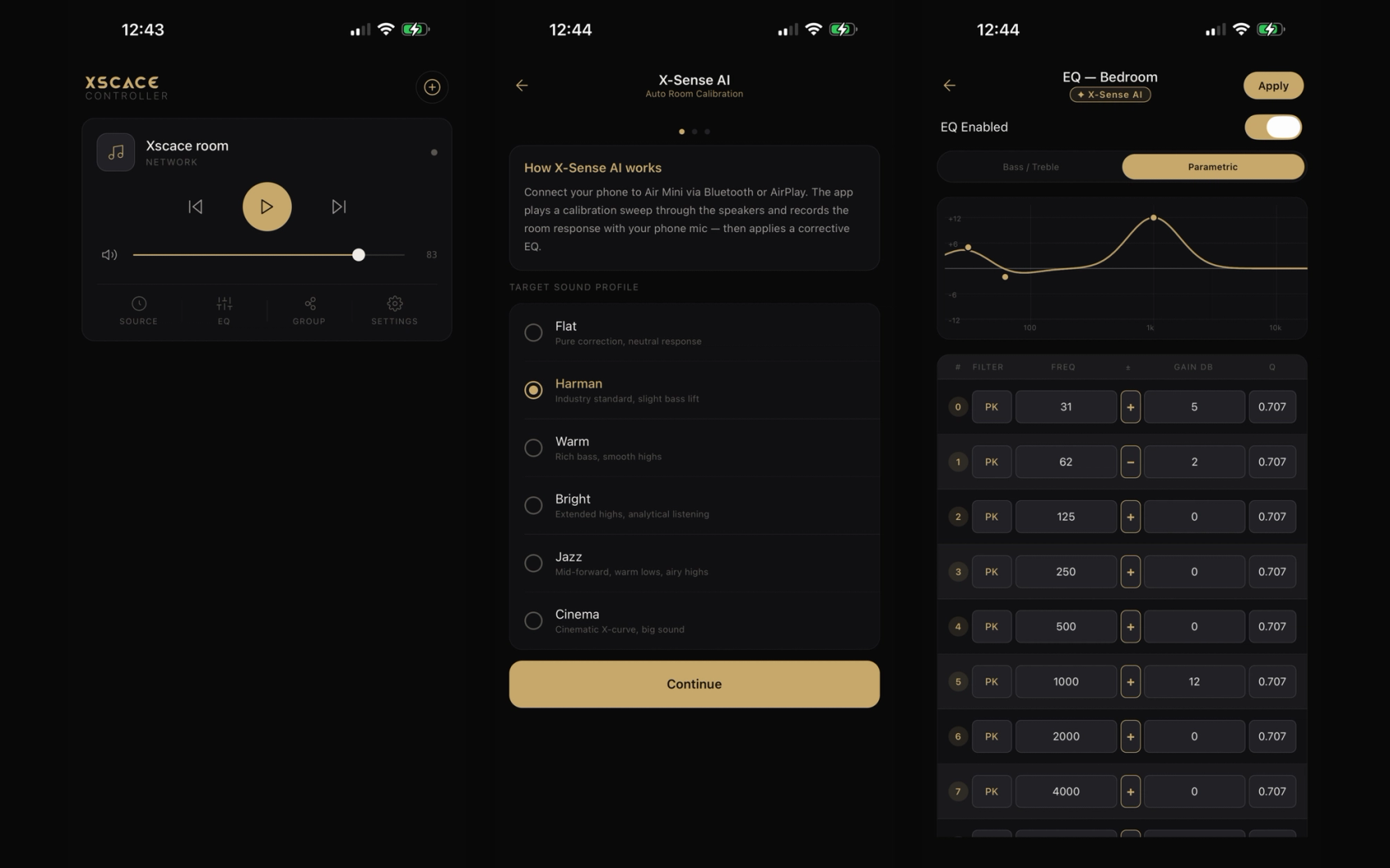
XSCACE Controller turns any iPhone or Android phone into a precision remote for XSCACE Air Mini and Air Amp wireless streamers. It discovers every device on your network in about a second, gives you full playback and input control, groups any number of speakers into perfectly synced multiroom zones, and opens up the DSP inside every XSCACE device — a full 10-band parametric equalizer. Everything happens on your own Wi-Fi network: no cloud account, no sign-up, no listening data leaving your home.
- Automatic Setup
- Permanent Multiroom Groups
- 10-Band Parametric EQ
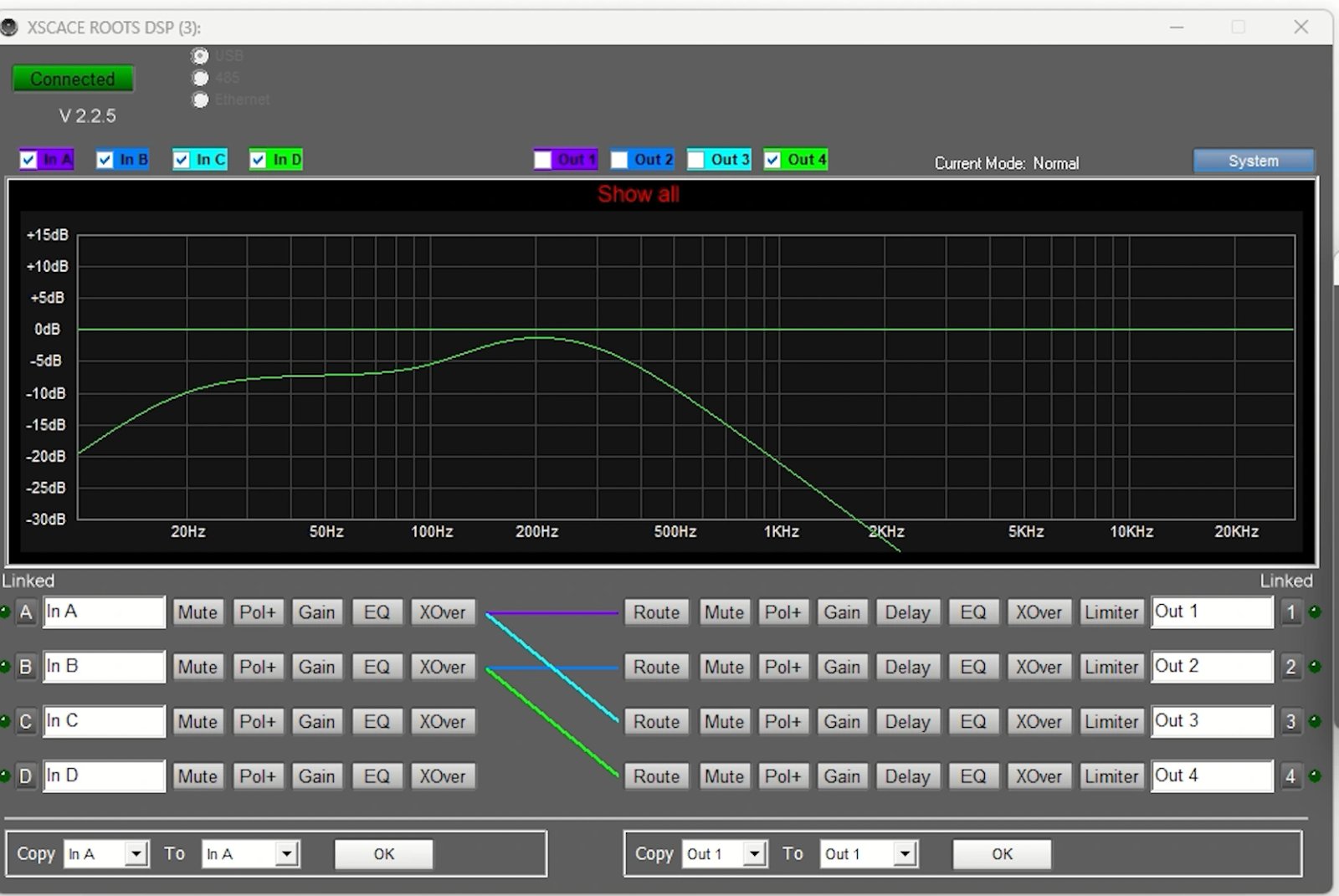
XSCACE ROOTS DSP is the original Windows editor for Root-series DSP amplifiers, covering 2-in/2-out and 4-in/4-out hardware over USB or the local network. It exposes the full signal chain: a routing matrix from any input to any output, per-channel gain, mute, delay and parametric EQ on both inputs and outputs, crossovers with Bessel, Butterworth and Linkwitz-Riley responses at 12, 18, 24 and 48 dB per octave, per-output limiting, BTL bridging across output pairs, and preset save and recall. As of August 2026 the Root series is supported natively in XSCACE Studio on macOS, which is where new installations should start. This editor is retained for installers running Root-series hardware already in the field on Windows, and is no longer developed.
- Routing Matrix
- Input and Output EQ
- Crossovers and Limiters
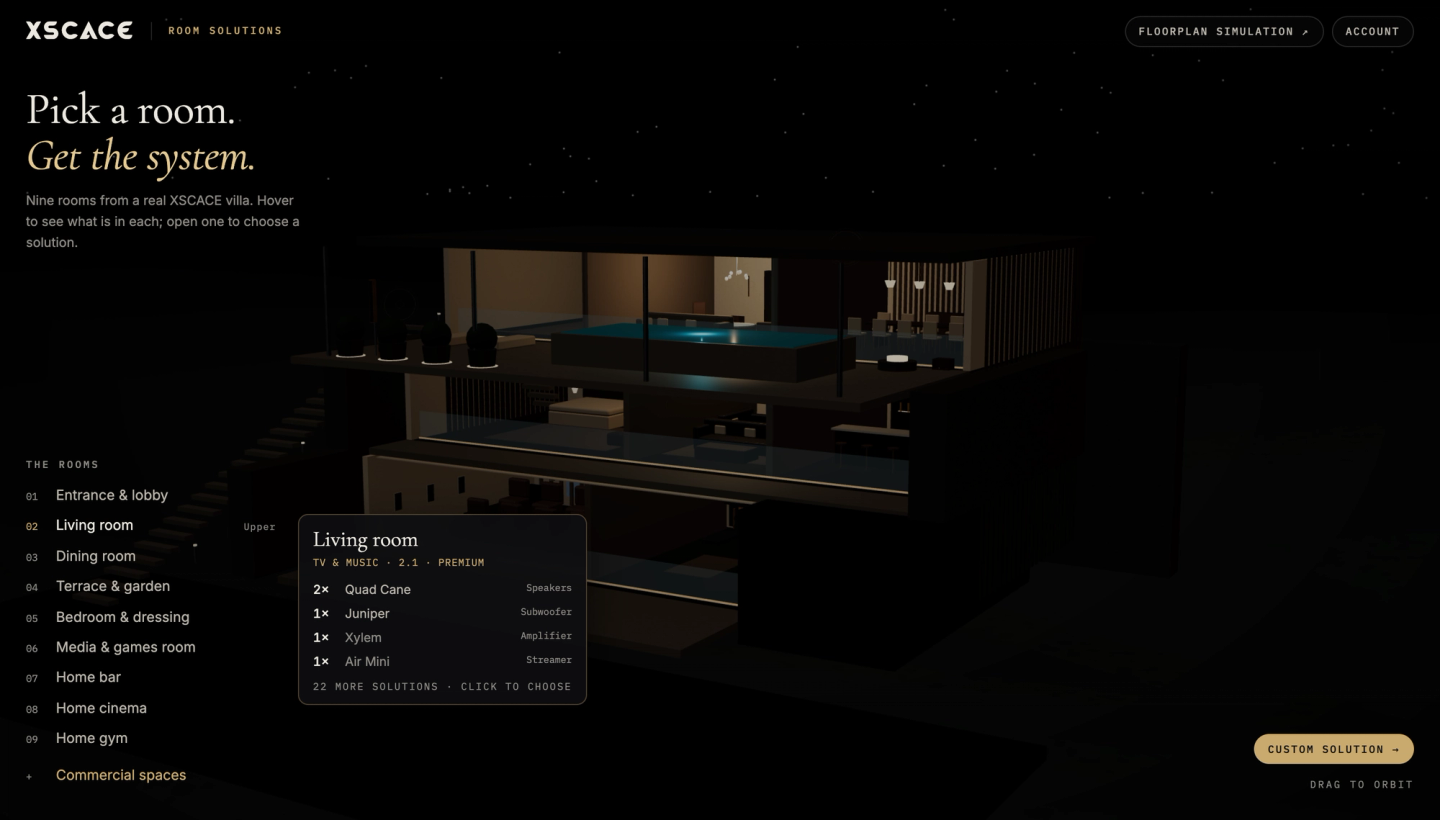
Pick a room, then design it properly
Not every job begins with a floor plan. Room Solutions is the quick way in: a villa with nine rooms, each one a real XSCACE install. Open a room and choose a system for it — TV and music, four speakers, home cinema or music — at premium or affordable tiers, with the speakers, subwoofer, amplifier and streamer listed and the signal path spelled out. Commercial spaces have their own set, and a custom solution is a short conversation with the assistant.
It does not replace the simulation, and it is not meant to. Once the room is real — dimensions, wall construction, seating, a plan to trace — the design moves into Floorplan Sound Simulation, where the coverage is actually computed and the bill of quantities becomes a document a client can sign. Every solution links straight to it.
One workflow, three tools
Design it before anything is bought, prove it at commissioning, and hand over something the client can operate. Each step below is the tool you actually use, on screen.
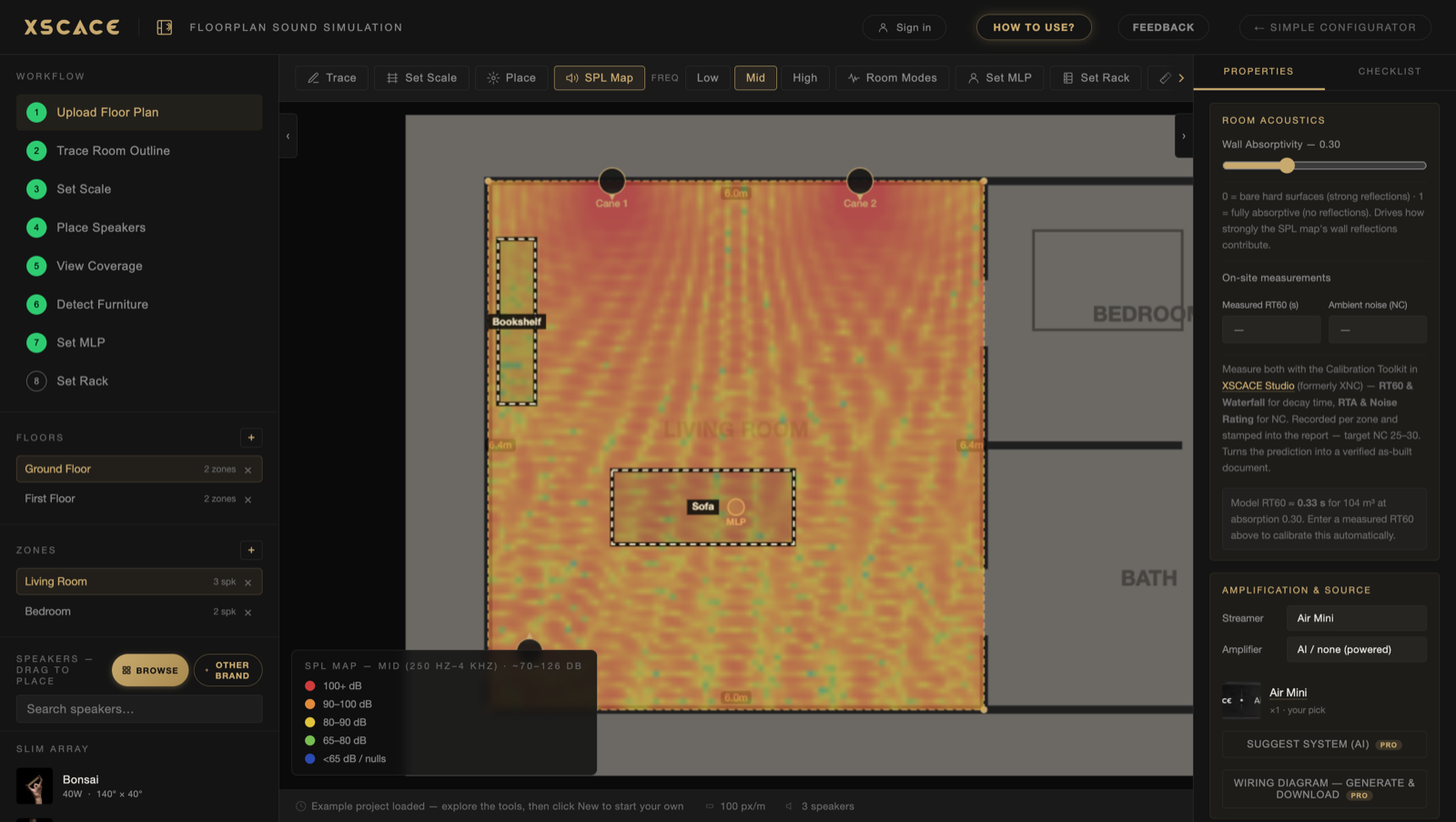
Floorplan Sound Simulation
Trace the room, place the speakers, and see the coverage before anything is ordered. You leave with a bill of quantities rather than a guess.
XSCACE Studio
Microphone at the listening seat. Measure what the room actually does, then write the correction back to the amplifier — and measure again to prove it landed. The CEDIA RP32 checklist then marks the room pass or fail against the RP22 level it was designed to.
XSCACE Controller
Hand it over. Source, volume and zones from a phone, on iOS and Android — with one-tap room calibration if the furniture ever moves.
Design in the planner, verify in Studio, and the prediction becomes a documented as-built figure. The home cinema design guide sets out the placement geometry these tools work against.
Frequently asked questions8 answers
Is XSCACE software free?
The Floorplan Sound Simulation is free with no account required — simulation, room analysis, the bill of quantities and Excel export all included. XSCACE Studio, the calibration toolkit, is free for use with XSCACE Xylem DSP amplifiers. XSCACE Pro adds branded PDF reports, saved price lists, cloud projects and third-party equipment at $49.99 per user per month, and is free for active XSCACE dealers.
What does audio calibration software actually do?
It measures how a room responds to the speakers in it, then corrects for what the room does wrong. A calibration pass captures frequency response, reverberation time and noise floor at the listening position, then sets per-channel level, delay, crossover point and equalisation from those measurements rather than from estimates. The difference between a calibrated and uncalibrated system in the same room is usually larger than the difference between two sets of speakers.
Do I need a measurement microphone?
Yes, for calibration. A standard USB measurement microphone is sufficient — the toolkit is designed around commonly available calibrated mics rather than proprietary hardware. Sound simulation needs no microphone at all, because it predicts coverage from the room geometry and speaker directivity before anything is installed.
Can XSCACE Studio verify a room against CEDIA RP22 and RP32?
Yes. CEDIA/CTA-RP22 defines four objective performance levels a room can be designed to, and CEDIA RP-32 is the companion practice for measuring and verifying whether it got there. XSCACE Studio includes an RP32 verification checklist: set the RP22 level the room was designed to and its volume, and the Export page marks each parameter pass or fail against RP22’s table for that level — interchannel level and time, polarity, sub integration, background noise floor as an NCB rating, in-room bass extension, response below the transition frequency, early reflections against the direct sound, and reflection decay time to ISO 3382-1. Parameters that need a test the current version does not run are marked "not measured" rather than assumed, layout values taken from the room plan are labelled as design values, and the exported report states that this is measurement to RP32 practice rather than a certification.
What RT60 should a room target?
0.3 to 0.5 seconds for a home cinema. Above 0.6 seconds in the low frequencies the room needs physical treatment — bass traps and absorption — rather than more equalisation, because equalisation cannot shorten a decay time. XSCACE Studio measures RT60 directly, so this is a number to verify rather than estimate.
Does the software work with other manufacturers’ equipment?
Yes. XSCACE amplifiers accept any source over line input and AirPlay, so they integrate with existing systems. In the planner, XSCACE Pro lets you add any manufacturer’s product — either by entering the specifications or by uploading a spec sheet and letting the AI extract sensitivity, power and dispersion. Real projects mix brands, and the tools are built for that.
Do I need to install anything?
The Floorplan Sound Simulation runs entirely in a desktop browser. It is a desktop tool rather than a mobile one — tracing rooms and placing speakers accurately needs a mouse and a wide screen. XSCACE Studio runs on the Mac (macOS 14.0 or later), on iPhone (iOS 17.0 or later) and iPad (iPadOS 17.0 or later) from the same App Store listing, and on Windows as a separate download. The XSCACE Controller is a mobile app for iOS and Android.
Can I export a bill of quantities?
Yes. The planner builds the bill of quantities as you design — every speaker, amplifier and streamer, with cable runs estimated from where the rack is placed. It exports to Excel, and re-imports cleanly after you add prices, so it round-trips into an existing quoting workflow instead of replacing it.