Contents10 sections
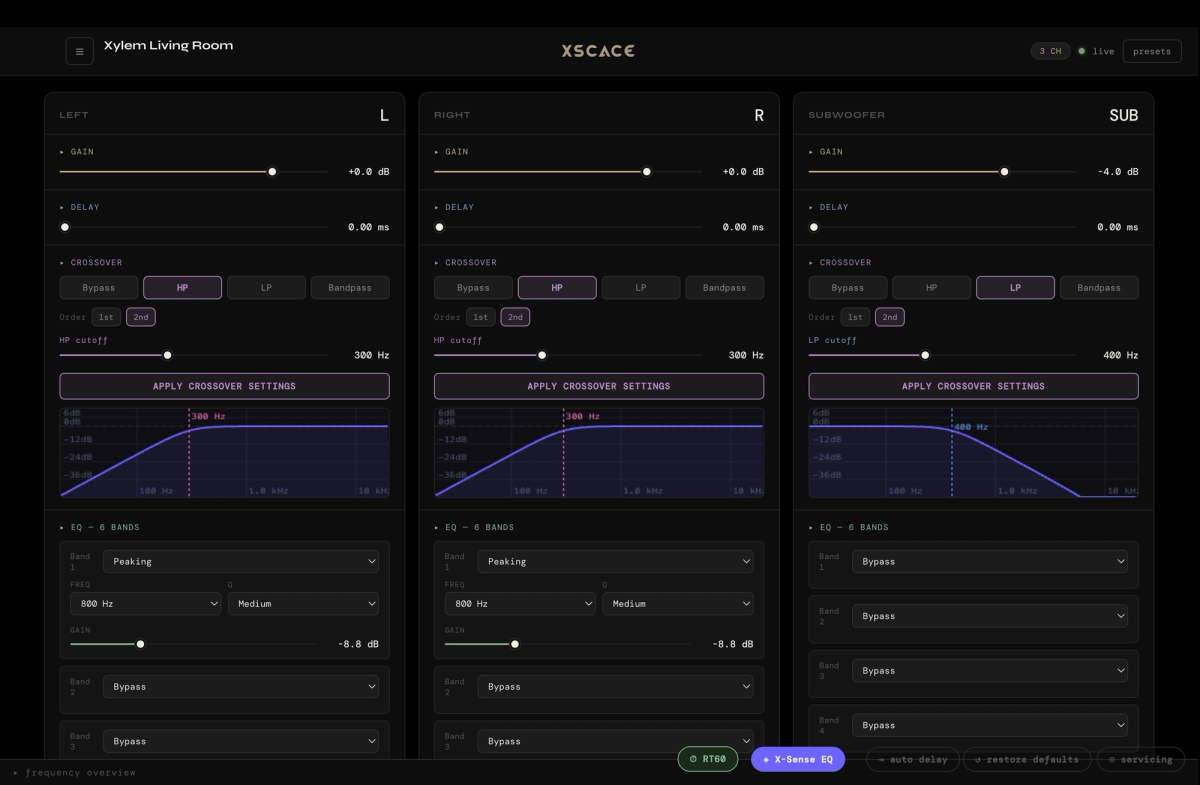
XSCACE Studio is the Mac and Windows desktop application built for professional configuration of the Xylem DSP amplifier series — the tool an integrator actually opens during commissioning, not a simplified remote for end users. Everything a multi-zone architectural audio install needs — crossover, delay, EQ, routing, room correction — lives in one native desktop interface. Here's what each part of the app does.
Live DSP Editing
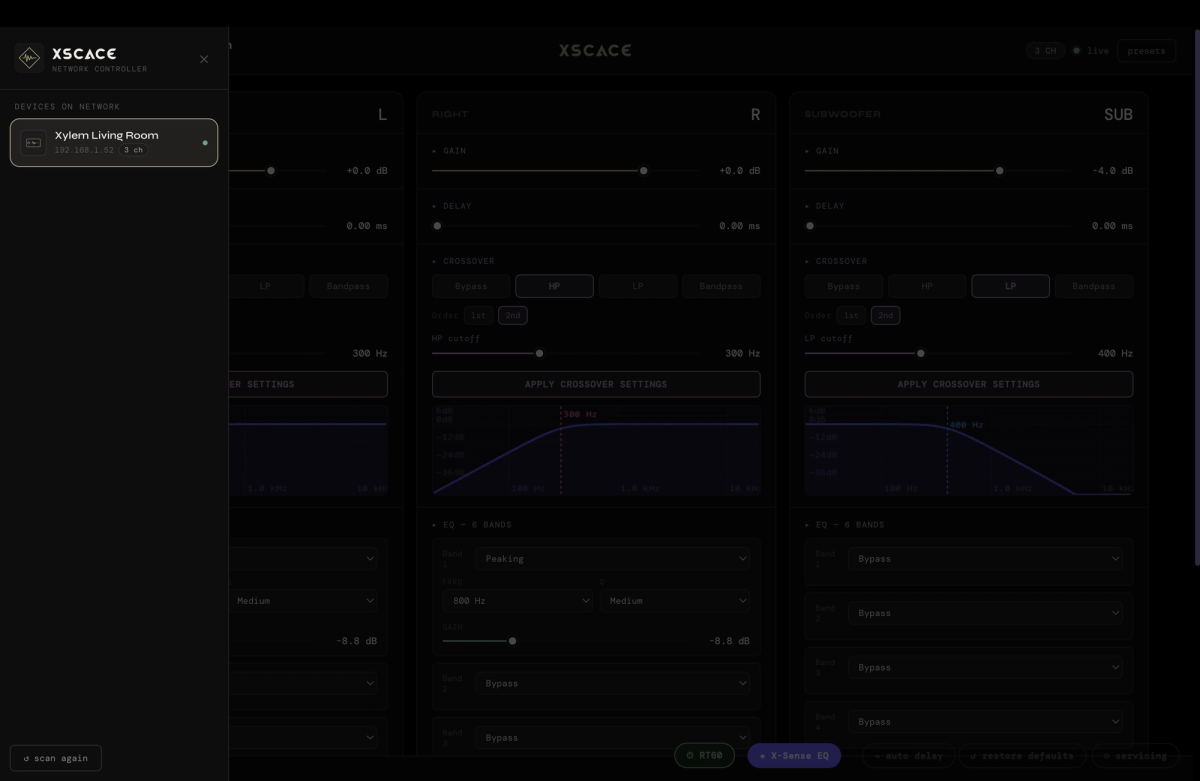
Crossover frequencies, output delay, and parametric EQ all adjust in real time over the local network — no reboot, no save-and-restart cycle. During commissioning, this is the difference between hearing the effect of a change immediately and hearing it after a 30-second amplifier restart, repeated for every adjustment across every channel. Live editing turns commissioning from a batch process into an iterative one.
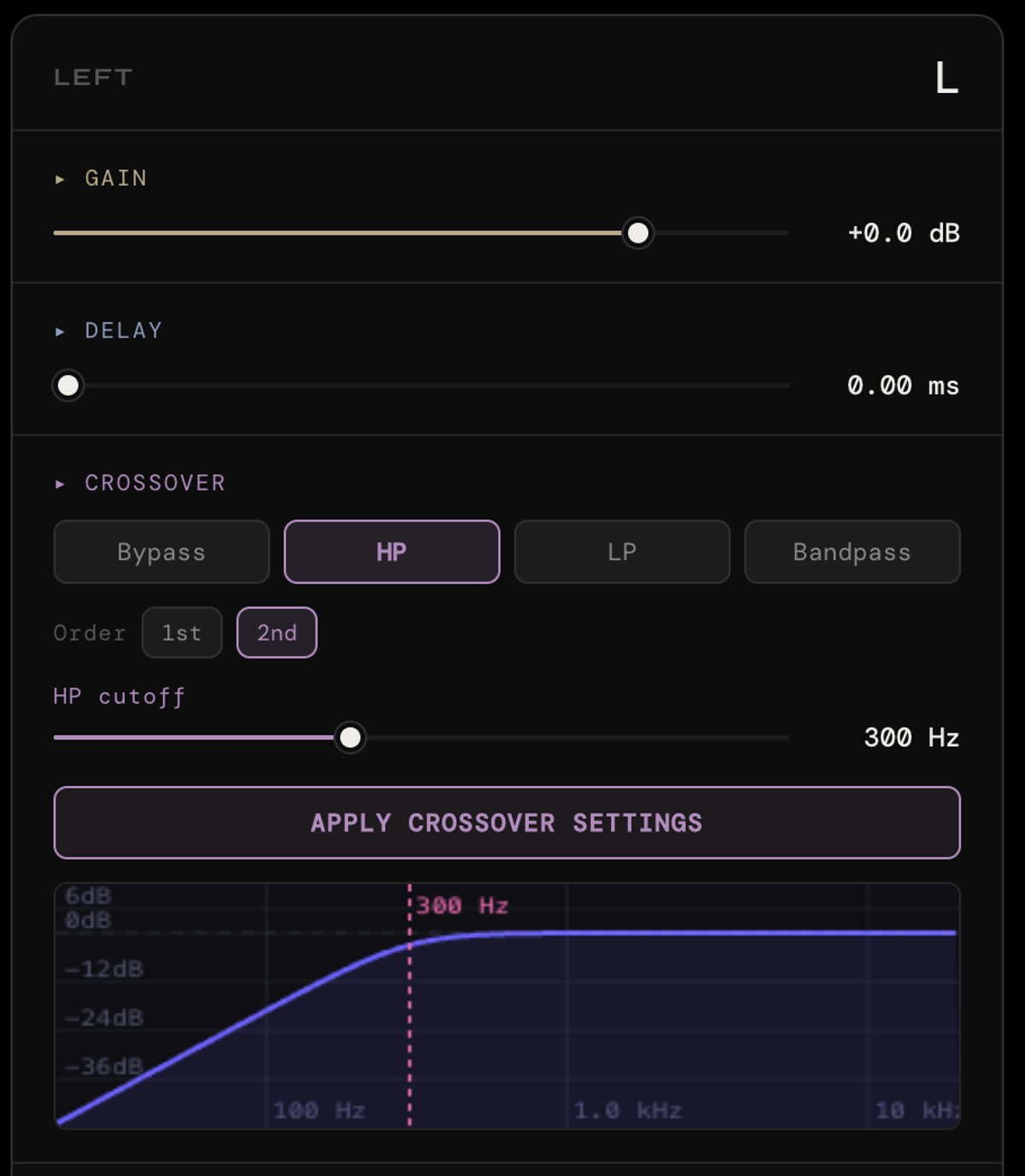
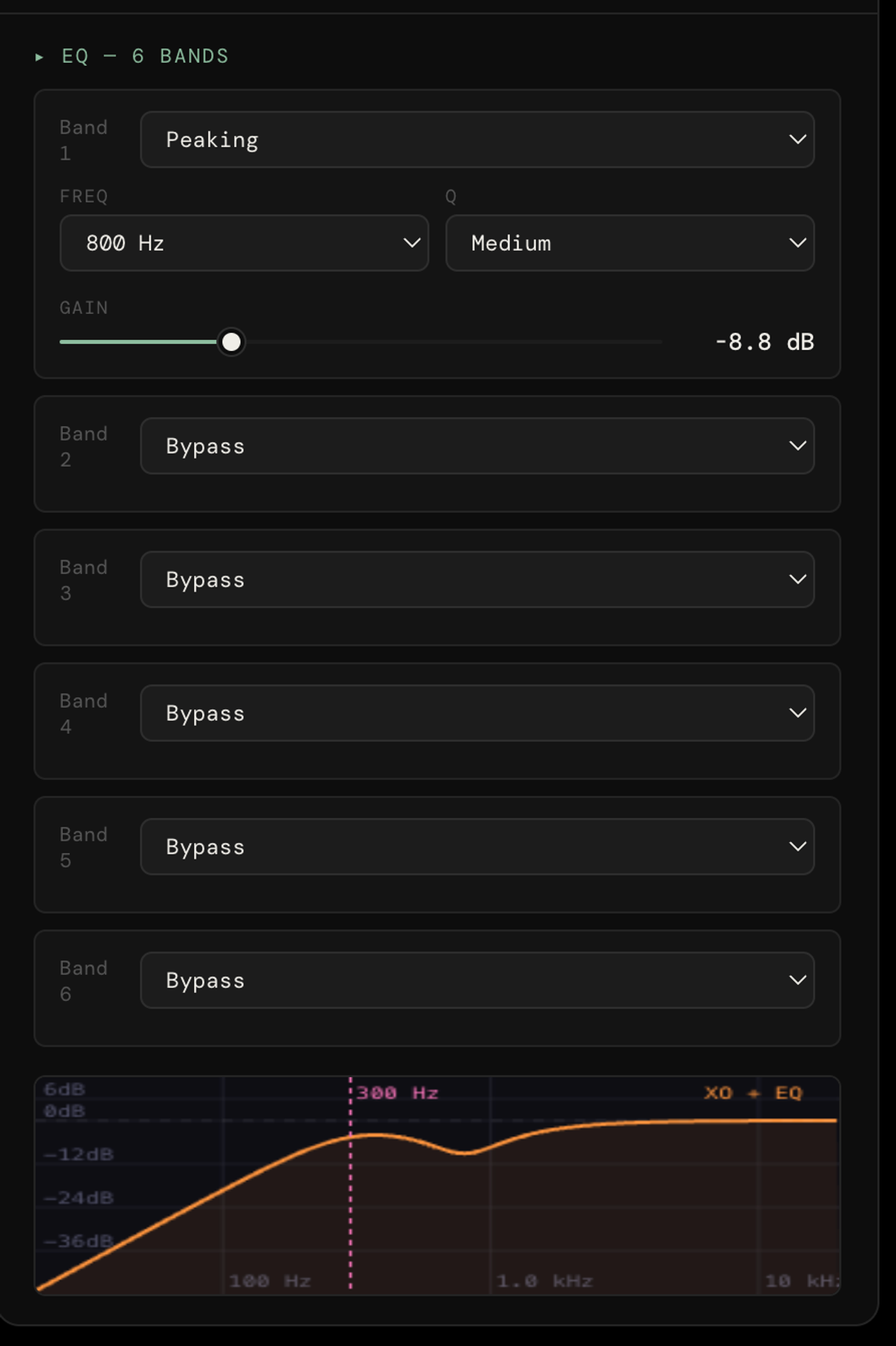
Each output channel carries six bands of parametric EQ, and each band can be set independently as a peaking filter or a low- or high-shelf, with frequency, gain and a named Q width (narrow through wide) rather than a raw numeric Q. Bands left unused sit in bypass, so a channel that only needs one corrective cut stays exactly that simple.
X-Sense Auto EQ: RT60 Measurement and Room Correction
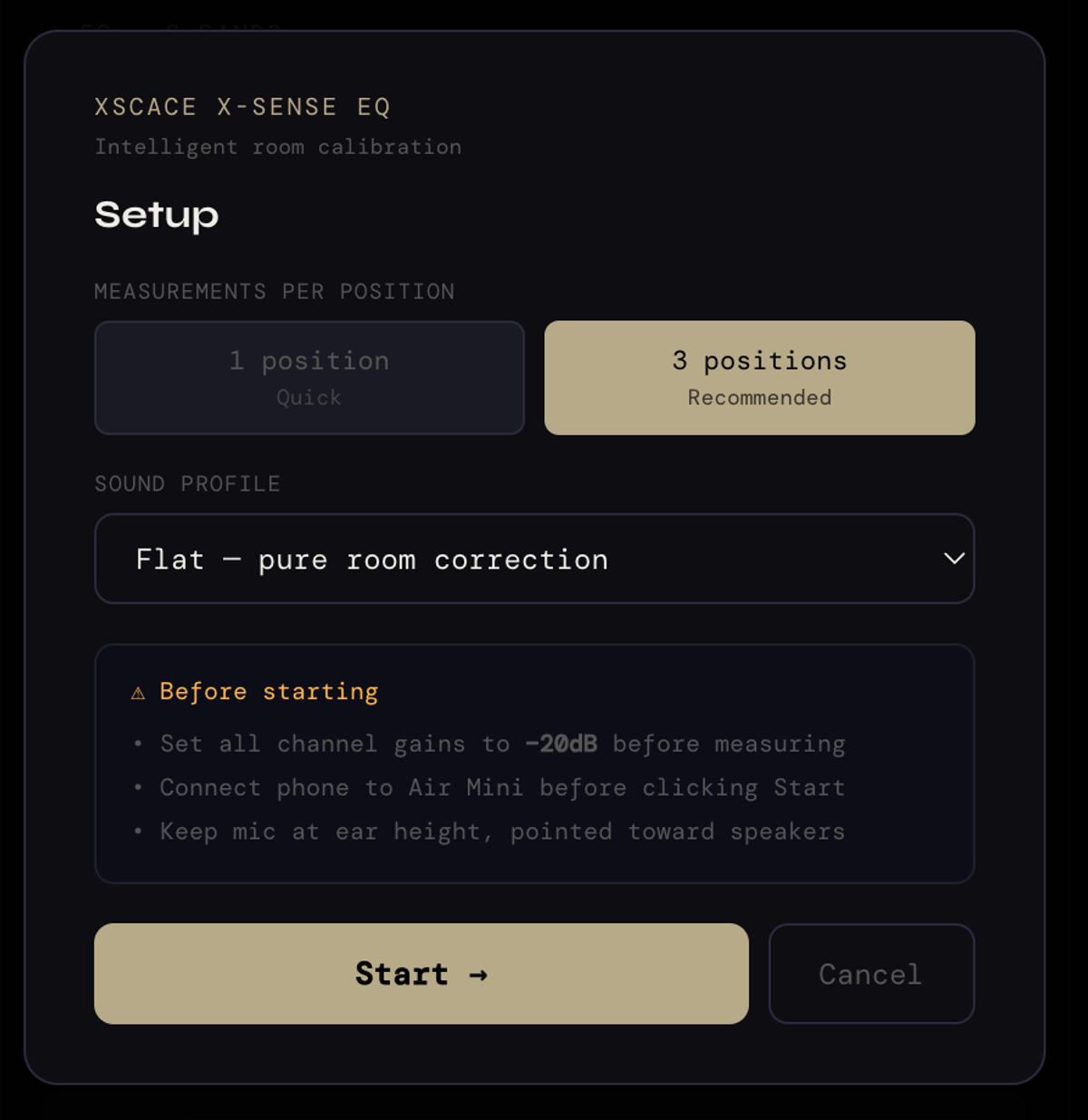
The desktop version of X-Sense goes further than the mobile app's single-room calibration: it measures the room's acoustic response with a calibrated sweep, including RT60 reverberation time, and automatically generates corrective parametric EQ curves to flatten frequency response at the listening position — across a multi-channel, multi-zone system. The correction is written to the amplifier while it plays: X-Sense tunes the Xylem 2, 3 and 4 and the Root 4 live, over the network, and a verification pass then overlays before, target and after.
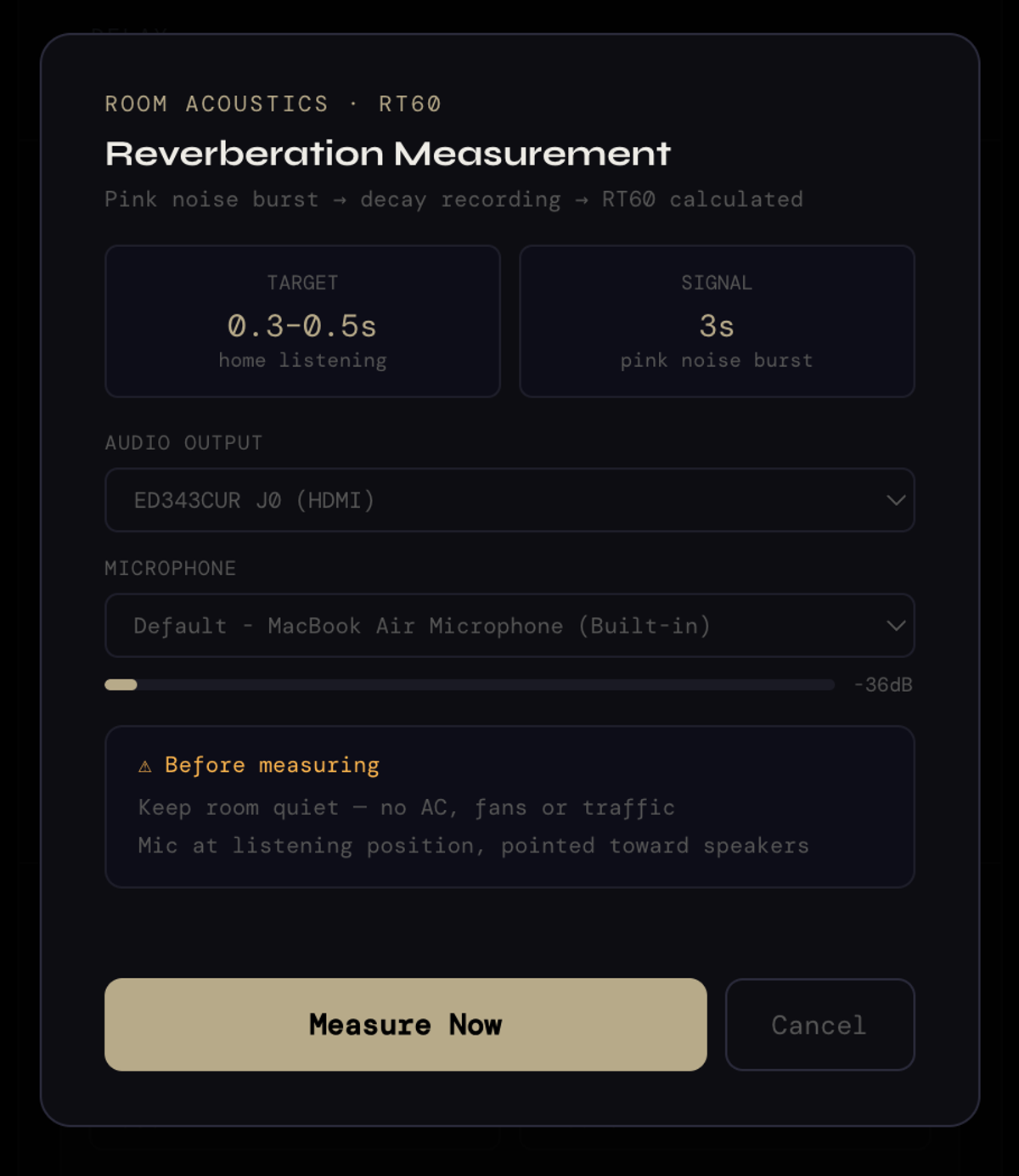
The RT60 measurement behind it is a defined procedure rather than a black box: the app fires a three-second pink noise burst, records the decay, and calculates reverberation time from it, targeting the 0.3–0.5 second window that suits domestic listening. It prompts for a quiet room — no air conditioning, fans or traffic — and for the microphone to sit at the listening position pointed at the speakers, because those two conditions are what separate a usable measurement from a meaningless one.
Auto Delay: Time Alignment to 27ms
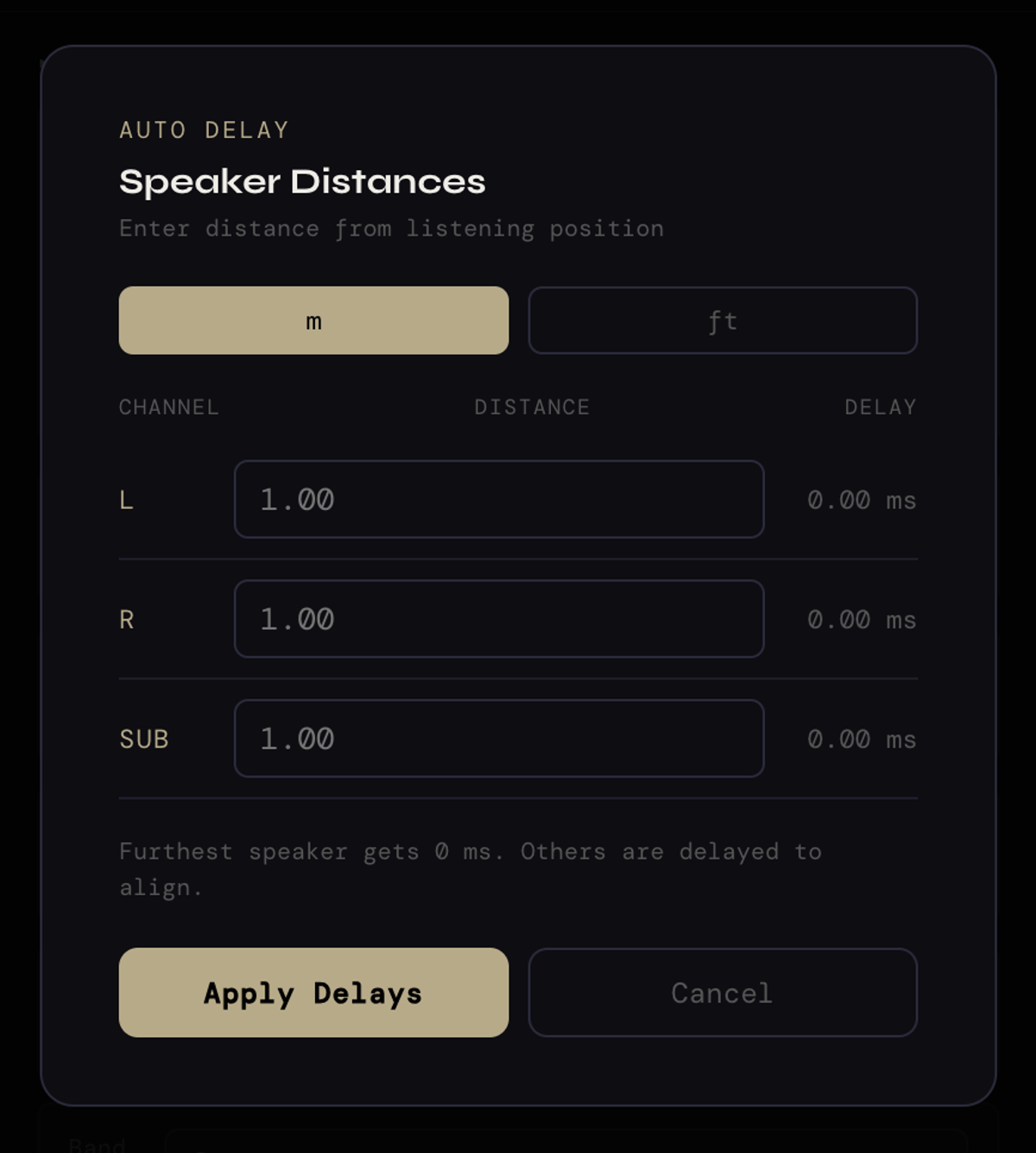
Speakers at different physical distances from the listening position produce sound that arrives out of sync — a real problem in any multi-speaker zone, and one that degrades stereo imaging and clarity even when every individual speaker is otherwise correctly calibrated. Auto Delay automatically calculates and applies channel delay for time alignment, up to 27ms across all output channels, correcting for exactly this without requiring the integrator to manually measure and enter distances per channel.
Channel Routing and the Frequency Overview Graph
Full control over input-to-output routing, gain staging, and polarity inversion per channel covers the wiring-level configuration a multi-zone system needs — not just which speaker plays which source, but the gain and polarity details that determine whether a zone sounds correct or subtly wrong in ways that are hard to diagnose after installation. The Frequency Overview Graph shows a real-time visualisation of the combined effect of every EQ and crossover setting, so the cumulative result of several stacked adjustments is visible on one graph rather than inferred from memory.

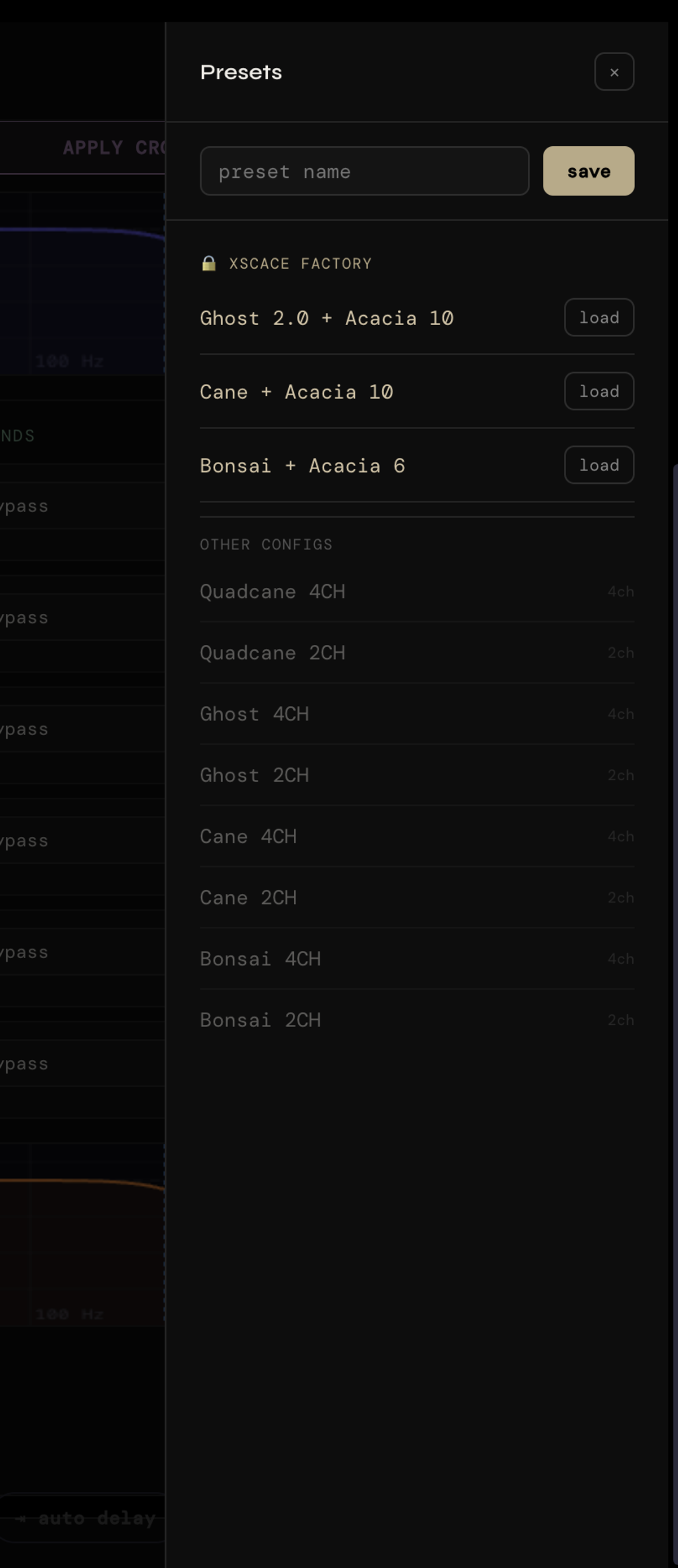
Factory Presets and Custom Saves
XSCACE-tuned factory presets, optimised per speaker model, give a correct starting point rather than a flat, unvoiced default — useful when commissioning a system where every zone uses the same XSCACE speaker model. Custom presets can be saved by name, which matters most on multi-unit projects: a configuration proven correct in one room can be applied to an identical room elsewhere without re-tuning from a blank slate.
The factory presets are locked, XSCACE-tuned pairings rather than generic voicings — Ghost 2.0 with an Acacia 10 subwoofer, Cane with an Acacia 10, Bonsai with an Acacia 6 — so a zone built from a known speaker-and-sub combination starts already crossed over and level-matched. Alongside them sit per-model channel configurations in both two- and four-channel variants for Quadcane, Ghost, Cane and Bonsai, which is what you load when the zone uses the speaker without its matched subwoofer.
The Calibration Toolkit: Eleven Instruments, Zero Extra Software
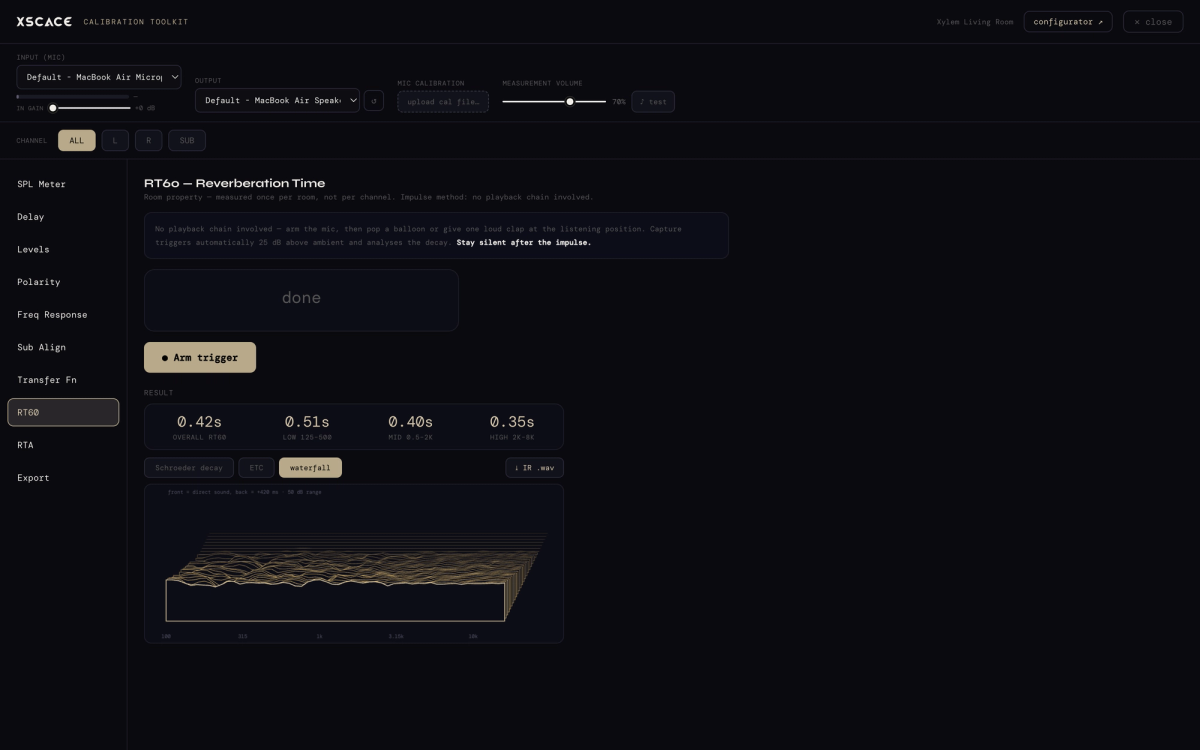
Beyond DSP control, XSCACE Studio carries a full measurement suite — the instruments an integrator would otherwise buy separate software for. Eleven of them: a calibrated SPL meter, a one-sweep delay, level and polarity alignment, frequency and step response, harmonic distortion, automatic subwoofer alignment, a live dual-FFT transfer function, RT60 with a spectral decay waterfall, a 31-band RTA with NC noise rating, session logging, and a one-click branded PDF commissioning report.
Every one of them also runs in standalone mode with no Xylem connected, so the same instruments can measure and document a third-party system. Rather than repeat the detail here, the audio calibration software guide walks through all eleven instruments and a full commissioning pass end to end.
Sitting alongside the toolkit is PsySculpt, XSCACE's psychoacoustic low-extension processor: precisely-tuned harmonics that convince the ear it's hearing bass a full octave below what the driver physically reproduces, applied per channel. In practice a Cane rated to 150 Hz reads to about 75 Hz, a Bonsai rated to 300 Hz to about 150 Hz, with an extension target as low as 40 Hz — and nothing below the driver's range is amplified, because there is nothing there to amplify.
Verification Against CEDIA RP22 With the RP32 Checklist
Measuring a room and correcting it is one job. Proving to a client that the finished room meets the standard it was designed to is a different one, and until recently there was no shared language for it. CEDIA/CTA-RP22, the Immersive Audio Design Recommended Practice, supplied the first half by replacing subjective labels such as good, better and best with four objective performance levels. CEDIA RP-32, Audio System Measurement and Verification, supplies the second: repeatable procedures for measuring whether the finished room actually reached the level it was designed to.
XSCACE Studio implements that second half as an RP32 verification checklist on the Export page. Set the RP22 level the room was designed to — 1 through 4 — enter the room volume in cubic metres, and every parameter is judged against RP22's table for that level. Each row carries the measured value, the target it is held to, the instrument that produced it, and a plain pass or fail: interchannel level after trims and interchannel time, polarity, sub integration, screen and non-screen speaker SPL capability, LFE and bass-management headroom, background noise floor expressed as an NCB rating, seat-to-seat response variance, in-room bass extension at −3 dB, response below the transition frequency, early reflections against the direct sound, and reflection decay time derived from the measurement impulses to ISO 3382-1 T20.
The verdict is stated at the top without softening — "Level 3 not met — 4 parameters failed" — because a checklist that rounds a near miss up to a pass is worth nothing to the integrator who has to stand behind it. Three kinds of honesty sit on the same screen. Rows that need a test the current version does not run are marked not measured rather than assumed or interpolated. Layout parameters — speaker angles, seat positions, speaker counts — are design values read from the room plan, and are labelled as design values rather than presented as measurements. And the document states in as many words that this is measurement to RP32 practice rather than a certification.
The whole checklist carries into the exported client PDF as its own numbered section, alongside the measurement results, the applied tuning, the per-channel assessment and the graphs that back them. That changes what a handover document is: instead of a set of curves the client cannot interpret, it states the level the room was designed to, every parameter it was judged against, and exactly which ones it met.
XSCACE Studio at a Glance
- Live crossover, delay, and parametric EQ editing with no reboot required
- X-Sense Auto EQ with RT60 reverberation measurement for multi-zone room correction
- Auto Delay time alignment up to 27ms across all output channels
- Full input-to-output routing, gain staging, and per-channel polarity control
- Real-time frequency overview graph showing combined EQ and crossover effect
- Factory presets per speaker model, plus named custom preset saving
- Native macOS and Windows apps with background auto-updates
Built-in Calibration Toolkit: SPL, delay/levels/polarity, frequency response, THD, sub alignment, transfer function, RT60 and RTA
One-click branded PDF commissioning report and standalone mode for third-party systems
CEDIA RP32 verification checklist, marking every parameter pass or fail against the chosen CEDIA/CTA-RP22 performance level
Using XSCACE with Third-Party Equipment
A common assumption about manufacturer software is that it only works inside that manufacturer's ecosystem. That is not the case here, and the reason is in the amplifier's input stage rather than the software.
Every Xylem DSP amplifier accepts a Line In. It takes a line-level feed from any source — a third-party AV receiver's pre-outs, a matrix switcher, a streamer, a mixer, a processor from any brand. The input is line level only: there is no speaker-level input, so a source that offers nothing but speaker outputs needs a line-level take-off ahead of the Xylem. There is also a Line Out for passing signal on to another zone or a powered subwoofer.
Once the signal is in, everything the XSCACE Studio does applies regardless of what produced it. Per-channel DSP, time alignment, crossovers, parametric EQ, X-Sense room correction and the full calibration toolkit all operate on the signal at the amplifier, not on some proprietary handshake with an XSCACE source. A room fed by a third-party AVR can still be measured, corrected and documented exactly as described here.
- Line In — line-level from any AVR, processor, matrix, streamer or mixer
- Line Out — pass signal onward to another zone or a powered subwoofer
- XSCACE speakers are passive throughout, so they can equally be driven by a third-party amplifier
The one boundary worth stating plainly: the measurement instruments work on any system the microphone can hear, and impulse responses export to WAV for REW or Smaart, but writing DSP corrections back into the amplifier requires the amplifier to be a Xylem.
A Typical Commissioning Workflow
In practice, an integrator commissioning a multi-zone Xylem install works through XSCACE Studio in roughly the same order every time: confirm channel routing and polarity first, since a wiring-level error here makes every later step meaningless; apply the factory preset matched to the speaker model in each zone as a starting point rather than tuning from flat; run X-Sense Auto EQ per zone to correct for the room's actual acoustic response, including RT60; then run Auto Delay across the zone to time-align every speaker to the primary listening position. The Frequency Overview Graph stays open throughout, so the cumulative effect of the preset, the room correction, and any manual EQ adjustment is visible on one curve rather than tracked mentally across four separate settings screens.
Once a zone measures correctly, saving it as a named custom preset means the next identical zone in the same project starts from a proven configuration instead of the factory default — the difference between commissioning a ten-zone whole-home system in an afternoon versus a week.
XSCACE Studio ships free with every Xylem 2, 3, and 4 DSP amplifier. The macOS version is now a native app on the Mac App Store and requires macOS 14.0 or later; the Windows build downloads from the software page.
Reporting and Export is easiest to judge from its output: download a sample calibration report (PDF, 14 pages) produced in demo mode — summary, measurement results, applied tuning, CEDIA RP32 verification, assessment, room acoustics checks, graphs, microphone and method. The figures are synthesised; the document is exactly what a real session exports.