Contents10 sections
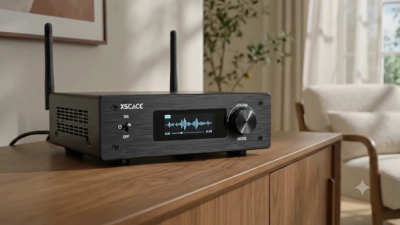
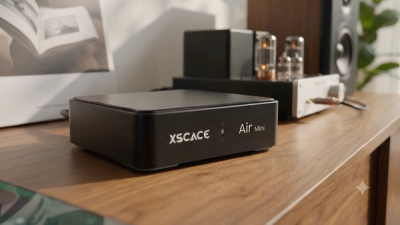
The XSCACE Controller app is the iOS and Android companion for the Air Amp and Air Mini streaming amplifiers — the interface that turns a compact, rack-free amplifier into a fully controllable system without a rack, a control processor, or a separate calibration microphone. Every feature is built around one idea: professional-grade tuning should not require professional installation. Here is what each part of the app actually does.
One-Tap Setup
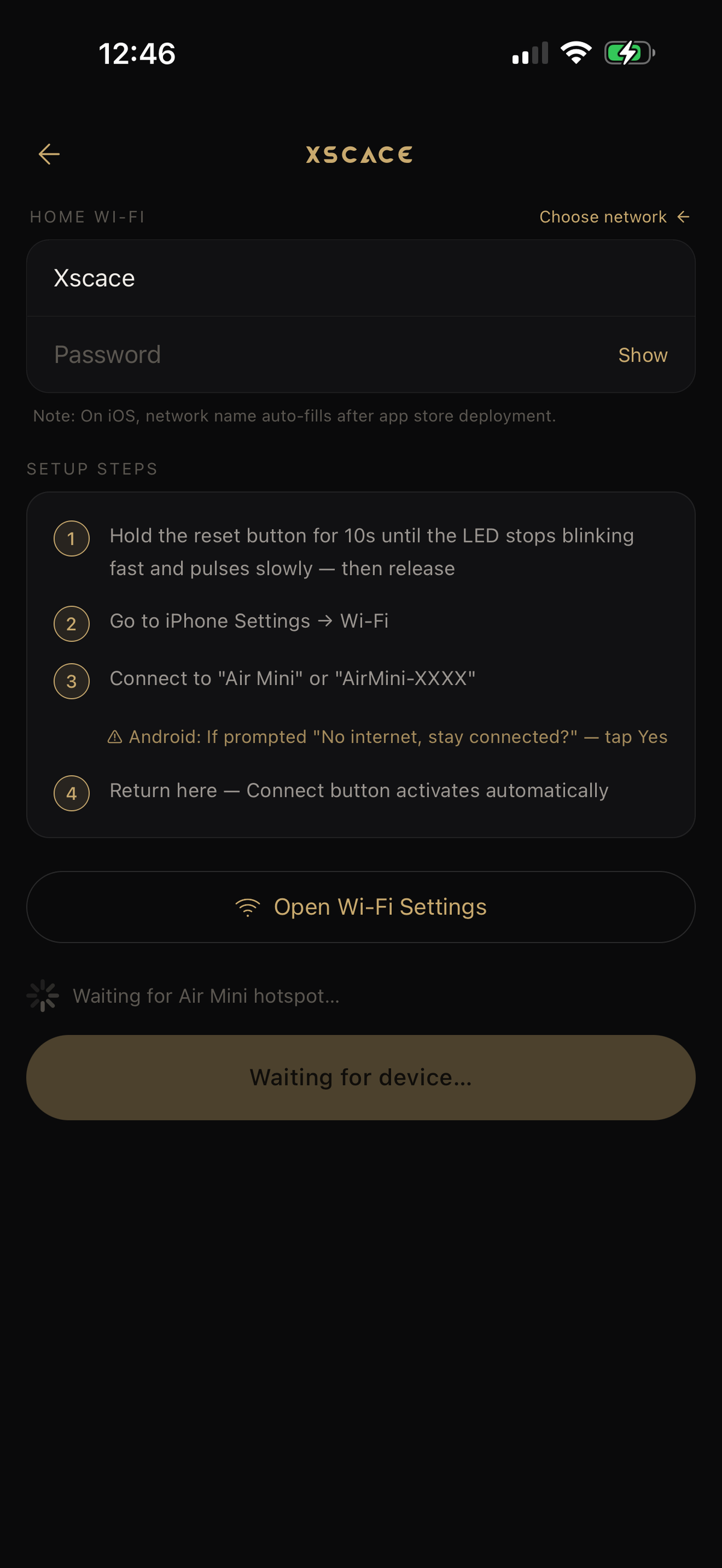
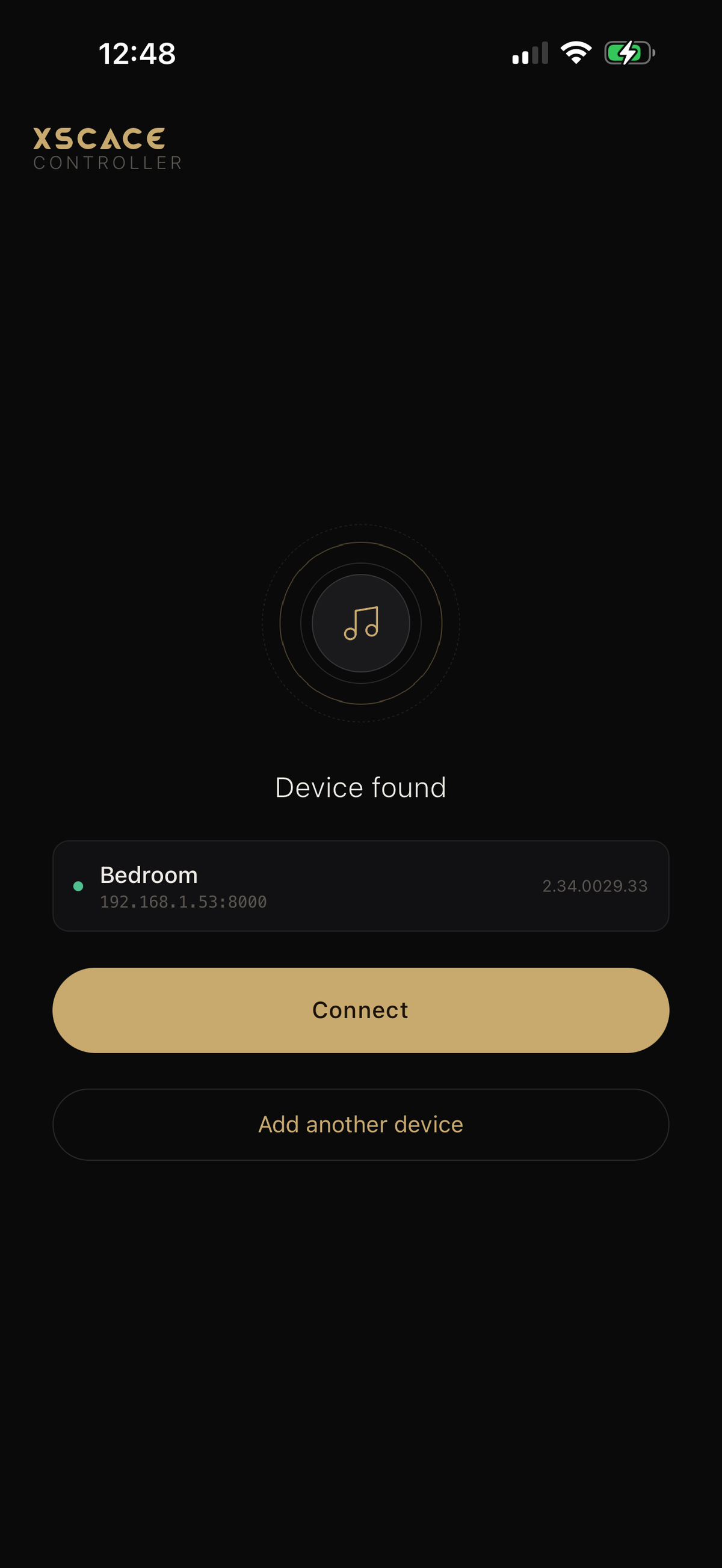
The guided setup wizard connects an Air Amp or Air Mini to Wi-Fi in seconds. The amplifier is discovered automatically on the local network and setup runs as a step-by-step flow rather than a manual network configuration screen — you hand it the Wi-Fi credentials, it confirms the device it found, and you name the room. That same discovery mechanism is what powers grouping later: every amplifier the app finds on the network becomes available for individual or grouped control immediately.
The Main Control Screen
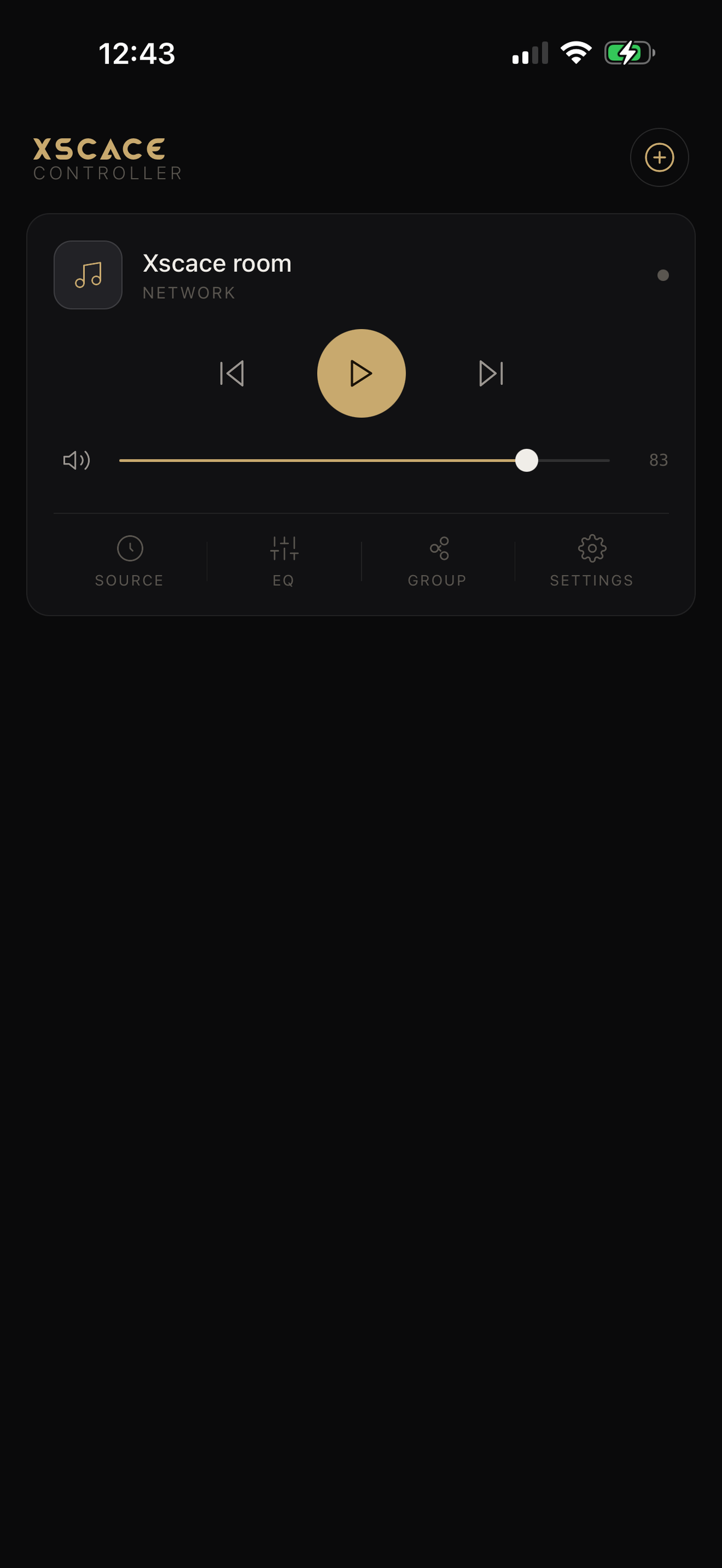
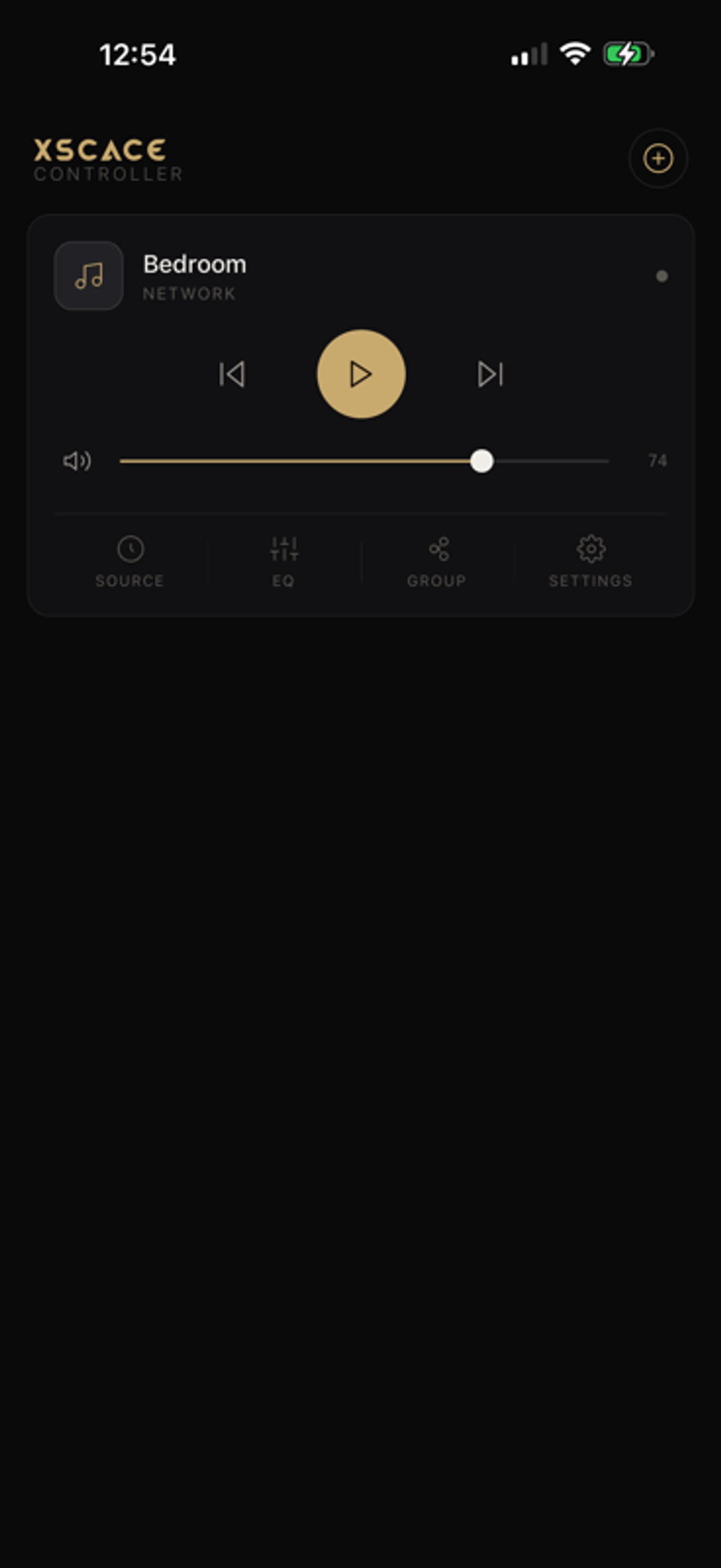
Day to day, the app opens on a single card per device: room name, network status, transport controls, and a volume slider. Four tabs run along the bottom — Source, EQ, Group and Settings — which is the whole navigation model. There is no dashboard to learn, because for a streaming amplifier there is nothing that needs one.
X-Sense AI Room Calibration
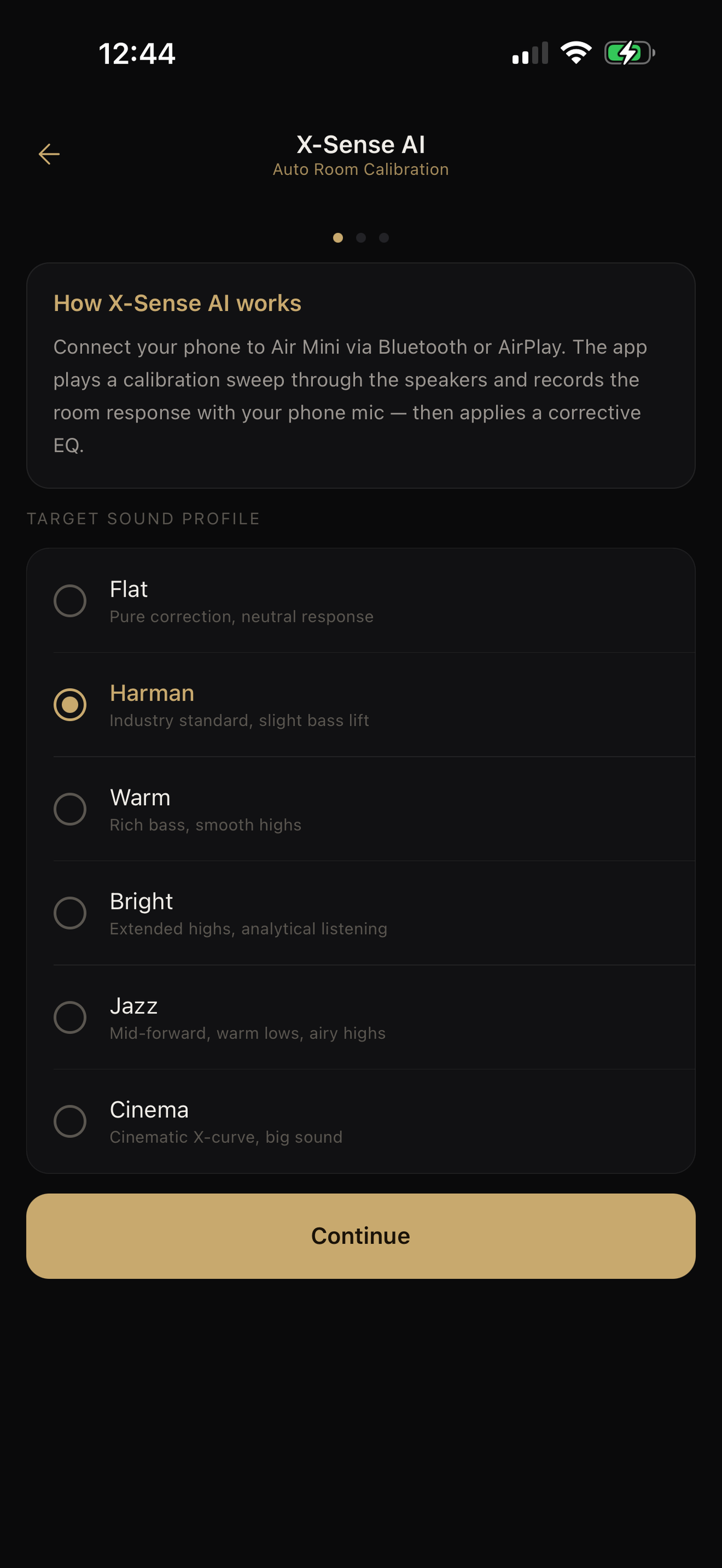
This is the flagship feature. Choose a target sound, and the Air Mini plays pink noise over AirPlay while you walk your listening area for thirty seconds with the phone in your hand. The phone's microphone records the whole walk, and X-Sense averages it into a room response and a corrective EQ — no external microphone, no sweep from a single chair.
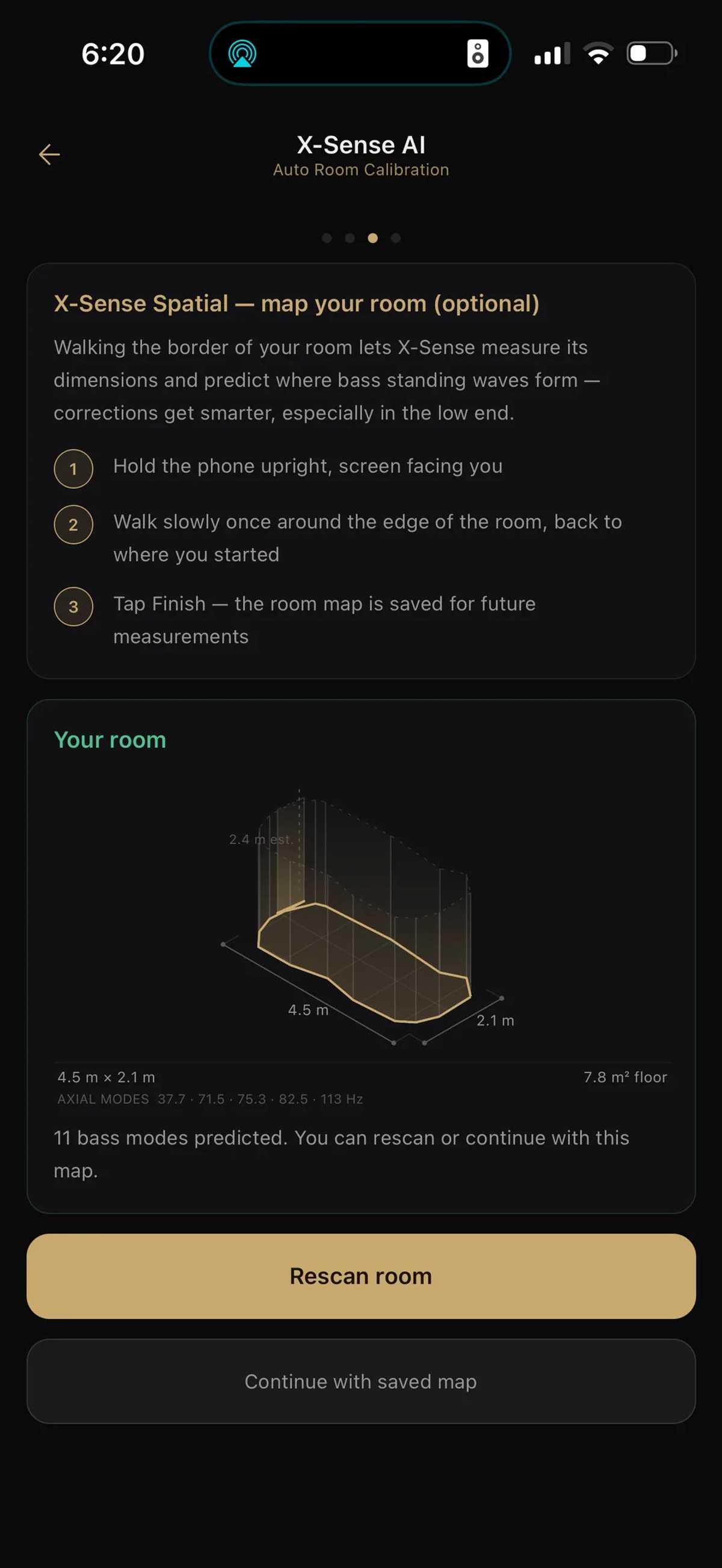
X-Sense Spatial goes a step further: walk once around the edge of the room and the app maps its dimensions — 4.55 by 2.08 metres in the example above — and predicts the axial bass modes from them, so the low-end corrections get smarter. The map is saved for future measurements.
The result is a suggested parametric EQ, shown as a curve above the filter table. Every band can be reviewed and edited before it is applied, and the whole correction switches off in one tap. Measurement runs from 50 Hz to 18 kHz with the phone's own microphone; a band the microphone cannot hear reliably is left uncorrected rather than guessed.
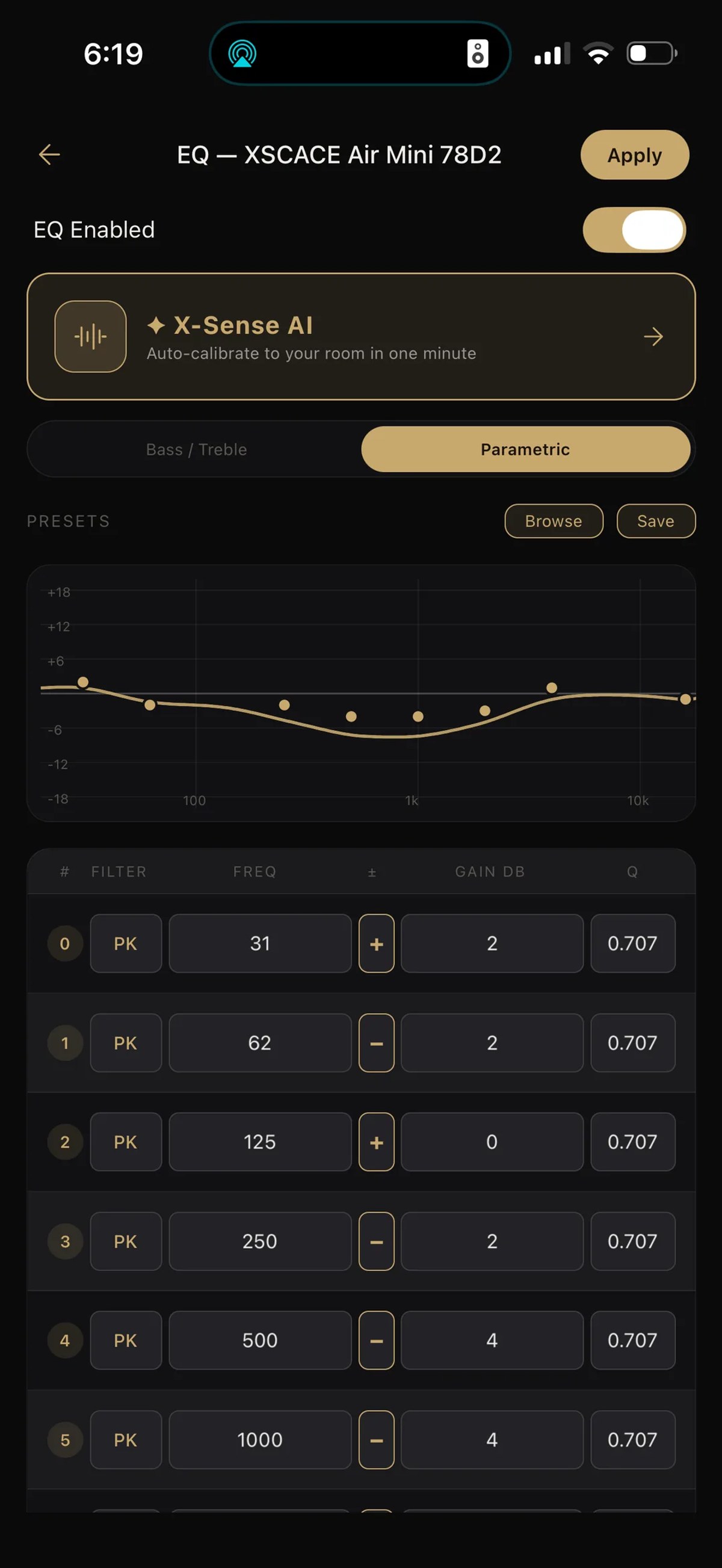
What makes it more than a novelty is the target profile. Rather than correcting to flat and leaving it there, X-Sense fits the correction against one of six voicings, each with a stated intent: Flat for pure correction and neutral response, Harman as the industry-standard curve with a slight bass lift, Warm for rich bass and smooth highs, Bright for extended highs and analytical listening, Jazz for a mid-forward balance with warm lows and airy highs, and Cinema for a cinematic X-curve. The room correction and the tonal preference are handled as two separate decisions, which is the correct way to do it.
AirPlay 2 and Spotify Connect, Built In
The Air Amp and Air Mini work natively as AirPlay 2 and Spotify Connect targets. They appear directly in Apple's AirPlay device list and in Spotify's Connect device list with no separate pairing step inside the XSCACE Controller app, and no dongle or bridge in between — the streaming endpoint is the amplifier itself.
This is worth being precise about, because "works with AirPlay" is claimed by products that mean several different things by it. An AirPlay 2 amplifier is not a speaker with a Bluetooth receiver bolted on, and it is not an amplifier fed by a separate AirPlay dongle. It means the amplifier is itself an AirPlay 2 endpoint on the network: it shows up in the system-level AirPlay picker on every Apple device on that network, it can be grouped with other AirPlay 2 devices by Apple's own multi-room layer, and it streams lossless over Wi-Fi rather than compressed over Bluetooth. Spotify Connect works the same way — Spotify hands playback to the amplifier directly, so the phone can leave the network without the music stopping.
The practical consequence is that the app's job is control — volume, EQ, grouping — and not the streaming handoff. Switching source between an iPhone on AirPlay and a laptop on Spotify Connect happens without opening the XSCACE Controller app at all.
EQ: Presets, Tonal and Parametric
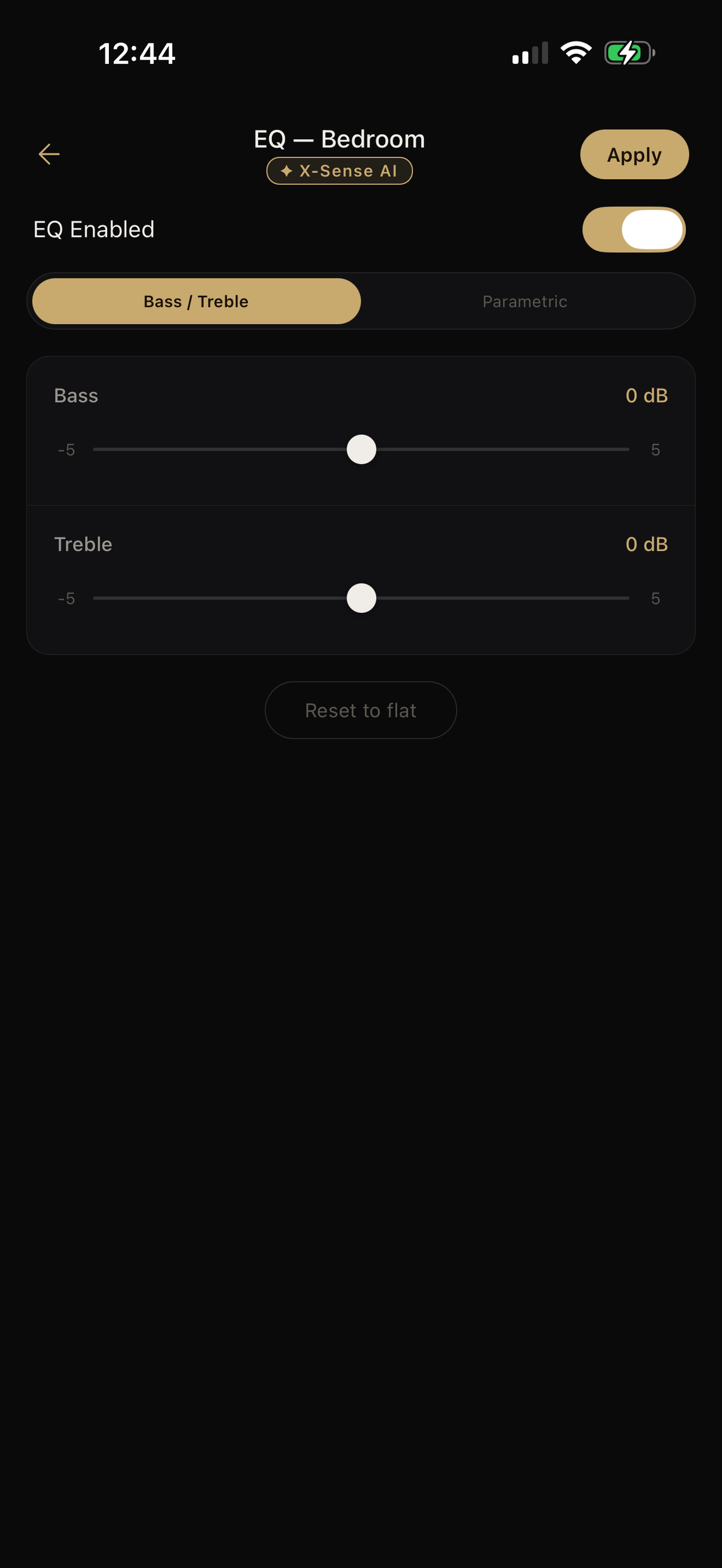
Three levels of control, depending on how much you want to do yourself. The six X-Sense profiles cover tonal preference automatically. Beyond that, a Bass/Treble view offers simple ±5dB shelving with a reset-to-flat, for the adjustment most people actually want.
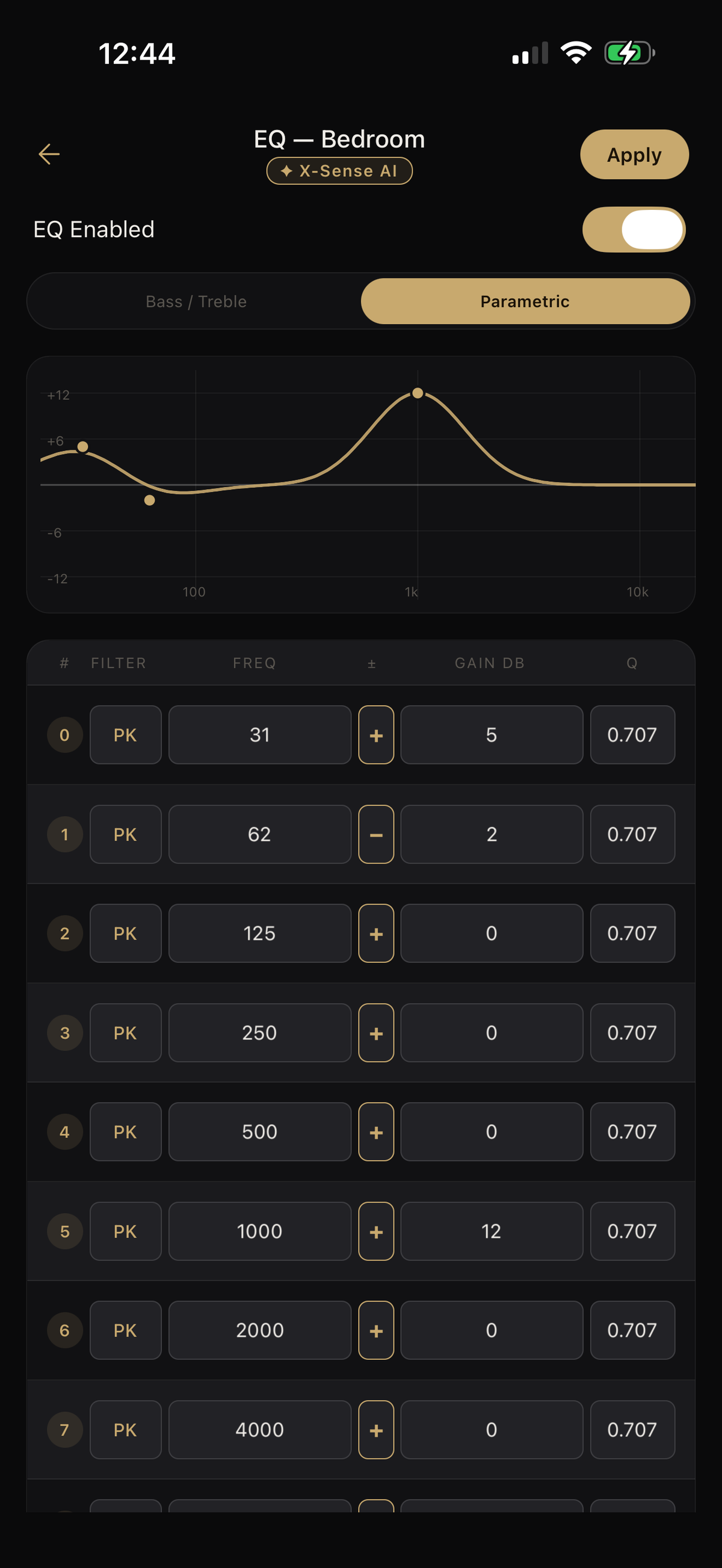
And underneath that sits a full parametric EQ: ten peaking filters on octave centres from 31Hz upward, each with adjustable frequency, gain across a ±12dB range, and a Q defaulting to 0.707, rendered as a live response curve above the filter table. An X-Sense badge on the EQ screen shows when the curve currently loaded came from a calibration run rather than by hand — so it is always clear whether you are editing your own settings or the room correction's.
Channel Select switches between stereo, left-only and right-only output, useful during setup testing and for custom installs where one amplifier feeds an asymmetric room.
Device Grouping for Multi-Room Control
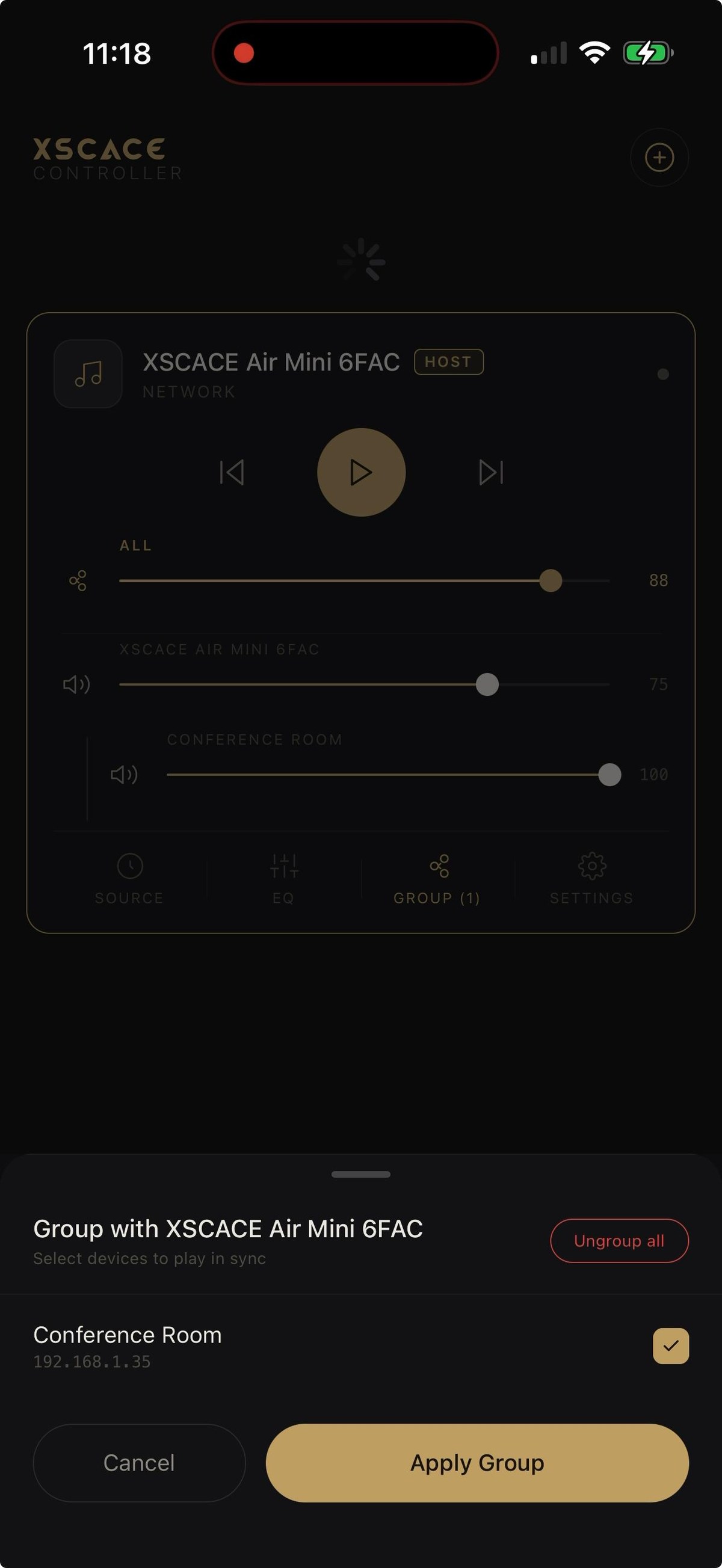
Group multiple Air Amp and Air Mini units and control them as one system. One device acts as host, others join by IP on the local network, and playback stays in sync across the group. Volume is handled sensibly: an ALL slider moves the whole group together, while each device keeps its own trim underneath it — so a quieter kitchen and a louder living room stay in proportion when you change the master.
Permanent groups are the part that is easy to undervalue until it fails on an ordinary wireless system: most multiroom speakers forget their groups the moment the power blips. XSCACE Controller remembers the groups a user actually intended and restores them whenever devices come back online — even while the app is closed, even overnight. Flip the breaker, move furniture, unplug a speaker to relocate it, and the zones reassemble themselves rather than requiring a re-group from scratch.
Settings and Device Management
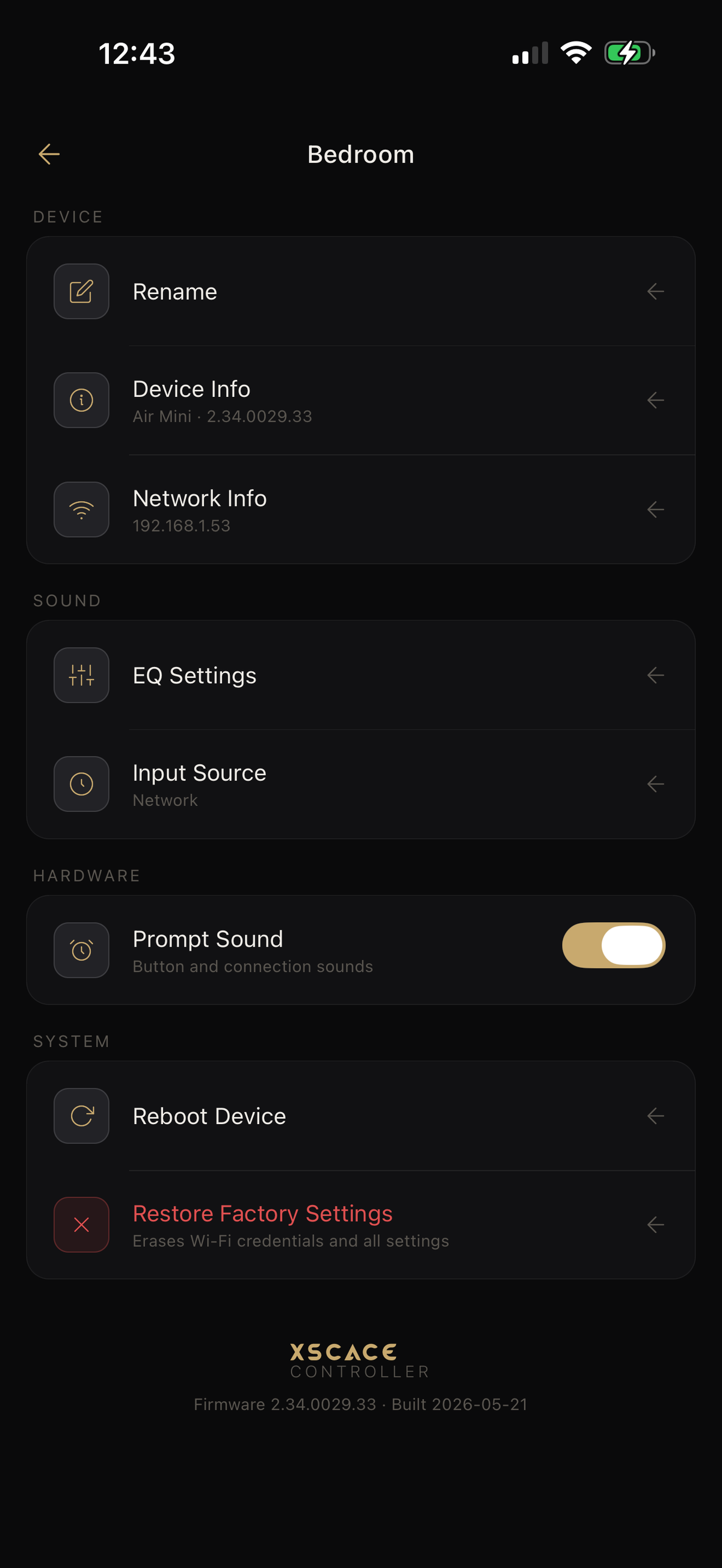
Devices can be renamed after setup — worth doing, since a group of amplifiers identified by serial suffix rather than room becomes unmanageable quickly. Settings also surfaces firmware state and per-device configuration, so a system that has been running for a year can be checked without a laptop or a site visit.
Using Air Amp and Air Mini with Third-Party Equipment
Neither unit requires an XSCACE source, and neither is limited to XSCACE speakers. Both accept a wired RCA line input alongside their network streaming, so any third-party source can feed them directly — a turntable through a phono stage, a CD player, a games console, a third-party streamer, or the output of an existing system.
Air Amp adds considerably more: SPDIF optical, USB, and HDMI ARC, which is the one most people actually want, because it lets the amplifier take audio straight from any television and respond to that TV's own volume control. Air Mini keeps it to RCA plus network streaming.
On the wireless side, AirPlay 2 and Spotify Connect are open endpoints rather than XSCACE-specific protocols. Any iPhone, iPad, Mac or AirPlay-capable app can stream to the amplifier from the system-level AirPlay picker, and Spotify Connect works from any device running Spotify. Both also support Bluetooth 5.0 with aptX-HD, and DLNA and UPnP for third-party network sources, with Air Amp additionally listing Pandora and Tidal.
- RCA line input on both — any wired third-party source
- Air Amp also: HDMI ARC (any TV), SPDIF optical, USB
- AirPlay 2 and Spotify Connect — open endpoints, any compatible device
- Bluetooth 5.0 aptX-HD, DLNA and UPnP for third-party network sources
- Speaker outputs drive any passive speakers, XSCACE or otherwise
XSCACE Controller at a Glance
- One-tap guided Wi-Fi setup with automatic device discovery on the local network
- X-Sense AI room calibration using the phone’s own microphone — no measurement mic required
- Six target sound profiles: Flat, Harman, Warm, Bright, Jazz, Cinema
- Native AirPlay 2 and Spotify Connect endpoints — no dongle, no bridge, lossless over Wi-Fi
- Bass/Treble shelving at ±5dB, plus a 10-band parametric EQ (±12dB, Q 0.707 default)
- Stereo, left-only or right-only channel selection
- Multi-room grouping with master and per-device volume, restored automatically after a power cut
- Free on the App Store and Google Play for any Air Amp or Air Mini owner
XSCACE Controller vs. XSCACE Studio: Which One Do You Need?
XSCACE makes two separate control apps because they solve two different problems. XSCACE Controller, covered here, is built for the Air Amp and Air Mini streaming amplifiers — single-room or lightly multi-room setups where the priority is fast setup and everyday volume, EQ and streaming control from a phone. XSCACE Studio is a Mac and Windows desktop application for the Xylem DSP amplifier series, aimed at the commissioning stage of a multi-zone architectural install: per-channel routing, time alignment, and measurement-driven room correction across a whole system.
The dividing line is measurement. XSCACE Controller corrects a room using the phone microphone, which is remarkable for what it is but is not a calibrated instrument. XSCACE Studio carries an eleven-instrument calibration toolkit — SPL, RT60, THD, sub alignment, transfer function — and produces a documented commissioning report. If you want to see what that involves, the audio calibration software guide walks through the full toolkit and a commissioning pass end to end.
If your system is one or two rooms of Air Amp or Air Mini, XSCACE Controller is the only app you need. XSCACE Controller is free to download on the App Store and Google Play for any owner of the Air Amp or Air Mini.