Contents7 sections
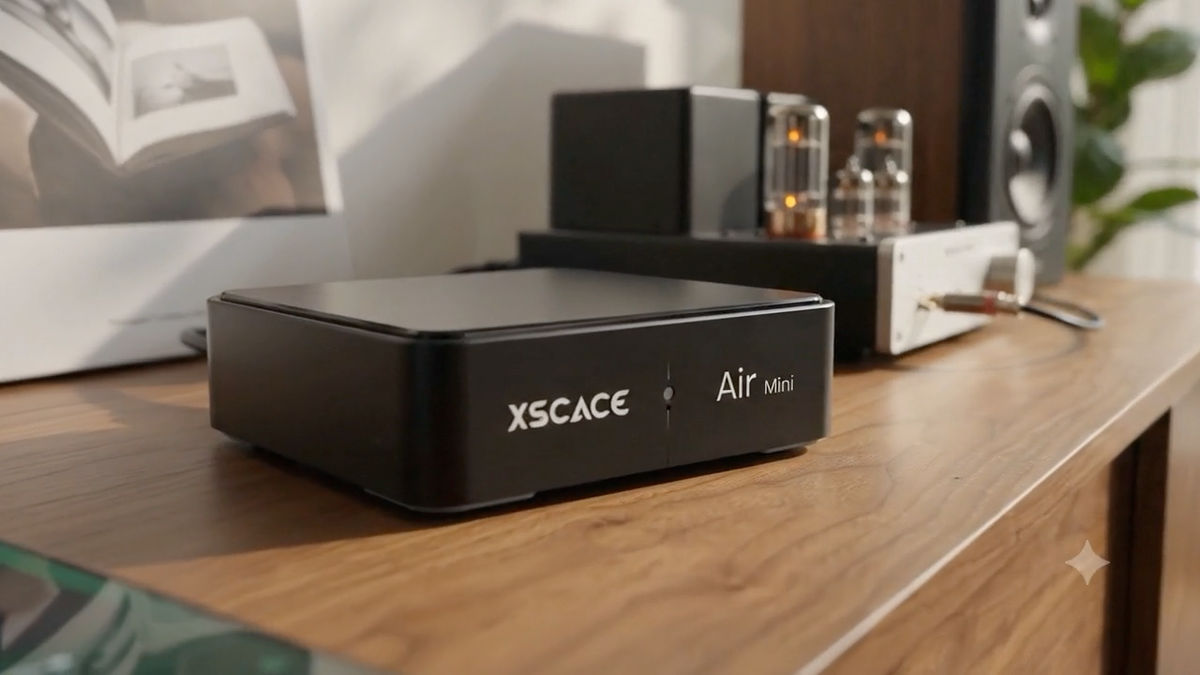
Air Mini and Air Amp answer plain HTTP on your local network. One GET request per command, one response — no cloud round trip, no bridge hardware, and no proprietary SDK. The practical consequence for a home automation integrator is that there is nothing to certify and nothing to wait for: any control system that can send a URL can already drive the speaker today, using the generic HTTP or TCP module it ships with.
This page sets out how the protocol works, what each major platform needs, and the handful of firmware behaviours that will cost you an afternoon if you meet them by surprise. The complete command reference — every endpoint, tested against real hardware — is the PDF below.
One URL, one response
The entire API is a single pattern. Replace the address and the command; nothing else changes.
http://<device-ip>:8000/?Instruct={command}
https://<device-ip>:8443/?Instruct={command}   ← same commands over TLS
Setting the volume and reading the transport state look like this:
# set volume to 40
curl "http://<device-ip>:8000/?Instruct=setPlayerCmd:vol:40"
→ OK

# what is it doing right now?
curl "http://<device-ip>:8000/?Instruct=getPlayerStatus"
→ {"PlaySource":"USB Disk","PlayStatus":"play","Volume":"40","Mute":"unmute"}
The four responses a driver must handle
Every command returns one of four things, and two of them are bare strings rather than JSON. Parse defensively.
| Response | Meaning |
|---|---|
| OK | Command accepted. |
| Not | Command not implemented, or not valid for the current source. A bare string, not JSON. |
| FAIL | Command understood but rejected — usually a bad argument. |
| JSON | Query commands return an object. Values are strings, including numbers: "Volume":"40", not 40. |
Every major home automation platform, and what it needs
Because control is plain HTTP on the local network, these platforms need only a generic HTTP or TCP module — not a certified driver.
| Platform | What you use |
|---|---|
| Control4 | Generic TCP / HTTP |
| Crestron | SIMPL / C# module |
| Savant | Generic IP profile |
| Lutron | Via integration server |
| RTI | Integration Designer |
| ELAN | Custom IP driver |
| URC | Total Control IP |
| Home Assistant | RESTful / command_line |
| Loxone | Virtual HTTP output |
| KNX | Via IP gateway logic |
| Josh.ai | HTTP endpoint |
| Node-RED | HTTP request node |
The pattern is the same across all of them: a string command out, a string or JSON response back, and a poll of getPlayerStatus every few seconds to keep the interface honest. What differs is only where the platform puts its HTTP module.
Home Assistant, in full
Home Assistant needs no custom component. A rest_command for each action and a rest sensor for feedback covers the whole device.
rest_command:
  airmini_volume:
    url: "http://<device-ip>:8000/?Instruct=setPlayerCmd:vol:{{ level }}"
  airmini_source_usb:
    url: "http://<device-ip>:8000/?Instruct=setPlayerCmd:switchmode:USB%20Disk"

sensor:
  - platform: rest
    name: Air Mini
    resource: "http://<device-ip>:8000/?Instruct=getPlayerStatus"
    json_attributes: [PlayStatus, Volume, PlaySource]
    value_template: "{{ value_json.PlayStatus }}"
Pin the IP address before you do anything else
This is the single most valuable command in the reference for a fixed install. Speakers advertise over mDNS, but DHCP re-leases move them — we have watched one jump from .122 to .74 after a firmware reboot, which breaks every driver addressing it by IP.
http://<device-ip>:8000/?Instruct=setNetIPSwitchState:Enable
http://<device-ip>:8000/?Instruct=setStaticIP:{"WStaticIp":"192.168.1.52",
  "WStaticNetmask":"255.255.255.0","WStaticGateway":"192.168.1.1","WStaticDns":"192.168.1.1"}
Applying a static IP changes the address you are talking to, so the reply often never arrives. Treat a timeout as probable success and poll the new address to confirm. Validate before you send — no leading zeros in an octet, no non-contiguous mask, and never the network or broadcast address. Get it wrong and the speaker is unreachable until someone holds the reset button for ten seconds.
The traps worth knowing before you write a driver
These are documented behaviours measured on real hardware, not guesses. Reading this section first is the difference between an afternoon and a week.
| Trap | What to do |
|---|---|
| Parametric EQ JSON gets percent-encoded | Send it raw over TCP, or disable encoding on your client. |
| Source tokens from the manual return FAIL | Use the display strings from DevFunction — "USB Disk", "AUX In", "HDMI ARC", percent-encoding the spaces. |
| getplay returns Not | Read Schedule from getMetaInfo instead. |
| maximumVolume does nothing | No handler in the firmware. Enforce the ceiling in your own system. |
| Seek on a paused speaker looks ignored | It is queued, and lands when playback resumes. Hold your own value until then. |
| Static IP request times out | Expected. Treat as probable success and poll the new address. |
| USB track numbers change | The index belongs to the drive as the speaker currently sees it. Re-read getUsbSongList every time. |
| Spotify ignores transport commands | Expected — Spotify Connect owns its own transport. Volume still works. |
| PlayState says "plays" | getStatusEx and getPlayerStatus use different fields and different spellings. Normalise both to "play". |
| Prompt-sound commands hang | Not implemented. Do not call them. |
Why there is no certified driver, and why that is the point
A certified driver is a dependency. It ties a product to one platform’s release cycle, and it dates: the driver that shipped for an older controller generation is the reason integrators end up with a device they cannot control on current firmware.
A documented HTTP interface has the opposite property. It works on every platform in the table above, it works on the ones not in the table, and it works on whatever replaces them — because the contract is a URL, not a binary. If you would still rather have a packaged driver for your system, ask and we will send what exists or build what does not.
Every command in the reference carries a status mark based on measurement against CL-BOPro_XSCACE units on firmware 2.34.0023.33 — WORKS, CAVEAT, or NOT IMPLEMENTED. The manufacturer documentation lists commands the firmware never implemented; this one tells you which, so you do not design around a command that was never going to answer.